Deutsch
 Dansk
 Svenska
 Nederlands
 Español
 Lietuvos

Morningscore’s health tool can detect broken external links on all your landing pages (scans up to 25,000 URLs, plan-dependent). Link data is provided by Moz, and the health monitoring covers 30+ issue categories.
It’s worth knowing why this matters. A recent research study on online availability and link decay shows how rapidly references break over time, with link rot continuing to disrupt access across the web. Commercial sites face the same decay over time.
It can also give you clever suggestions for the solution. We feed the full content and context to the AI and add a few smart tricks to make sure you get a solid result. Based on what Morningscore reports from observing customers, the AI suggestions tend to be quite well-matched to the original context.
One practical note before you dive in: Google’s crawling documentation confirms that 404 errors are a normal part of the web. The real case for fixing broken external links is cleaner content and a better reader experience – not a guaranteed ranking boost.
How to automatically fix broken external links with Morningscore
1. Get a free trial account (no credit card)
First, make sure you have an active Morningscore account (14 days free) by signing up below.
2. Go to health and find “broken external links” in this list:
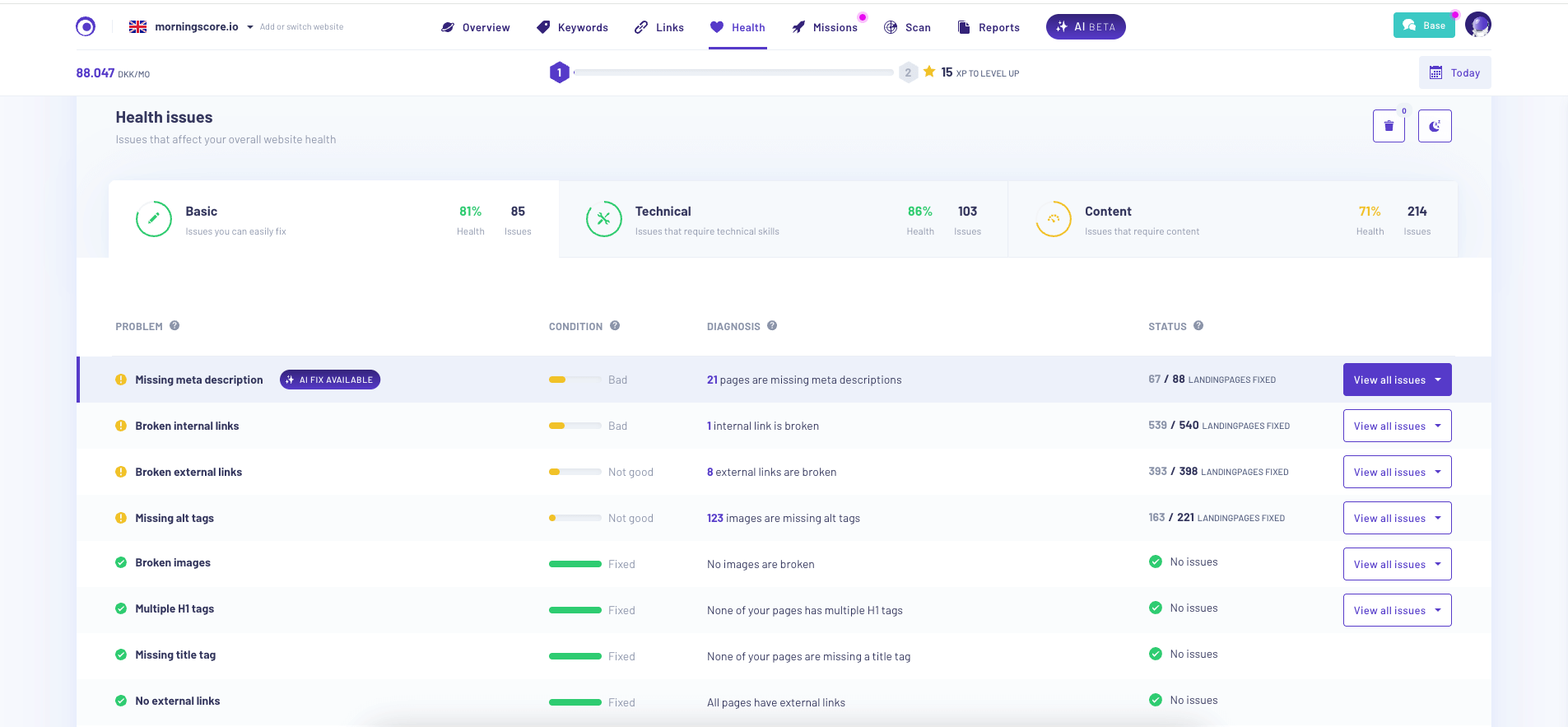
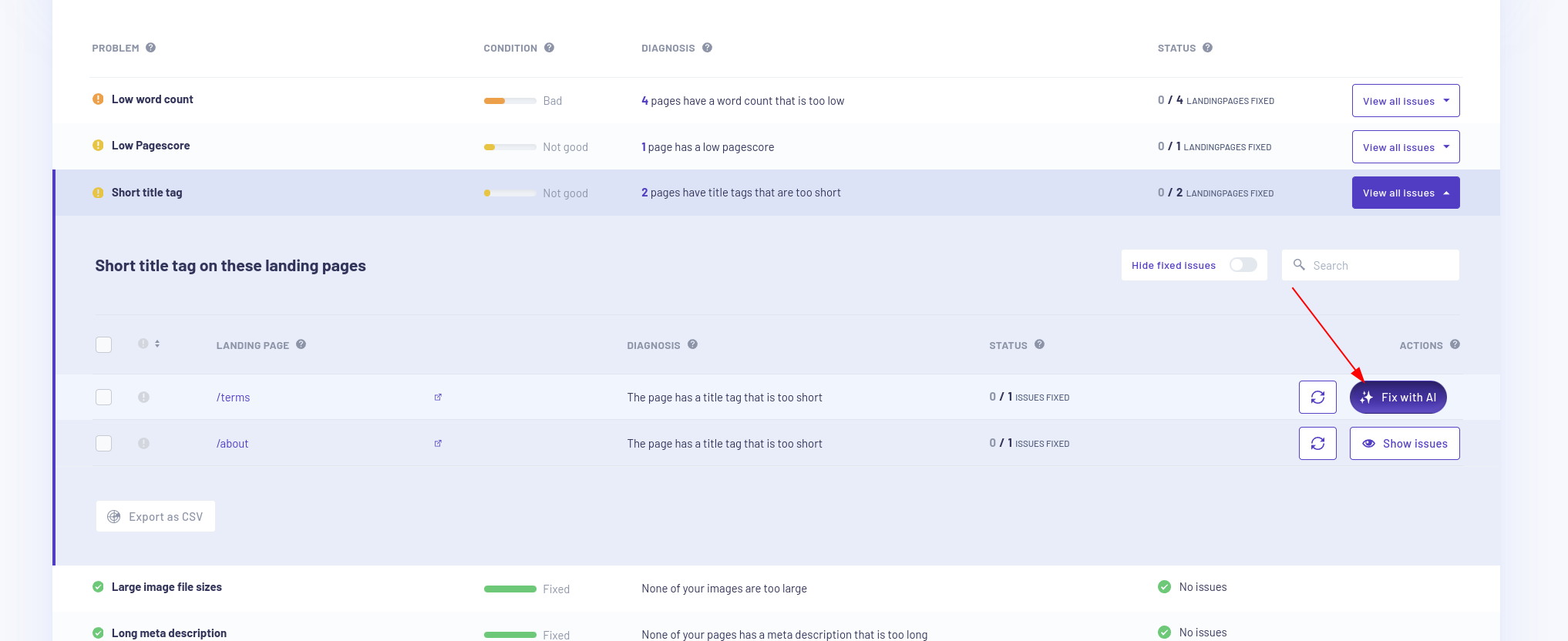
3. Get an AI-suggested solution for your broken links:
For many of the problems found, the AI will suggest a fitting replacement link. The image below shows an example for a short title tag, but the interface and logic are exactly the same for broken external links.
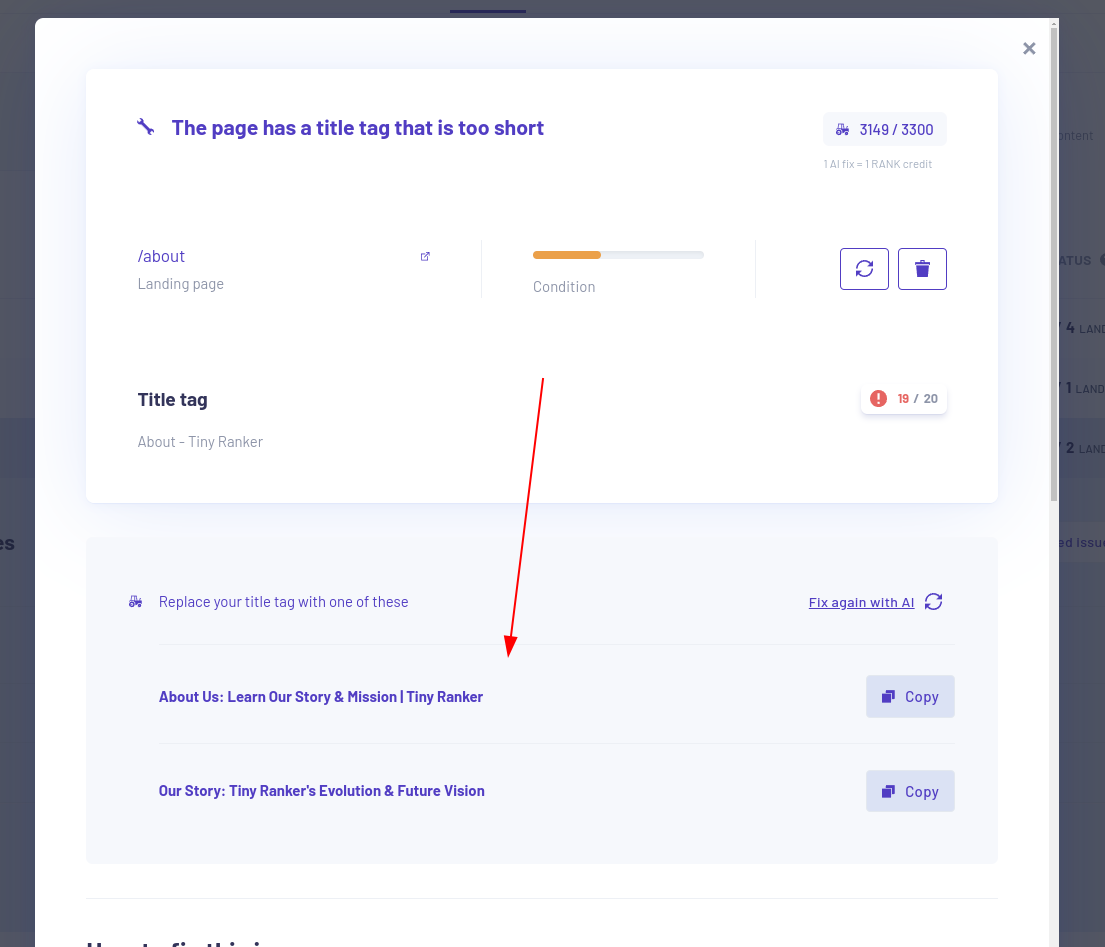
4. You often get more than 1 result to choose from:
Just like with other AI fixes, you often get multiple replacement options to choose from.
Before you apply any suggestion, it’s worth a quick human check. Verify that the replacement URL is topically equivalent, comes from a trustworthy source, and actually returns a proper HTTP status – not just any live page. A live URL can still contain changed or irrelevant content, so don’t skip this step.
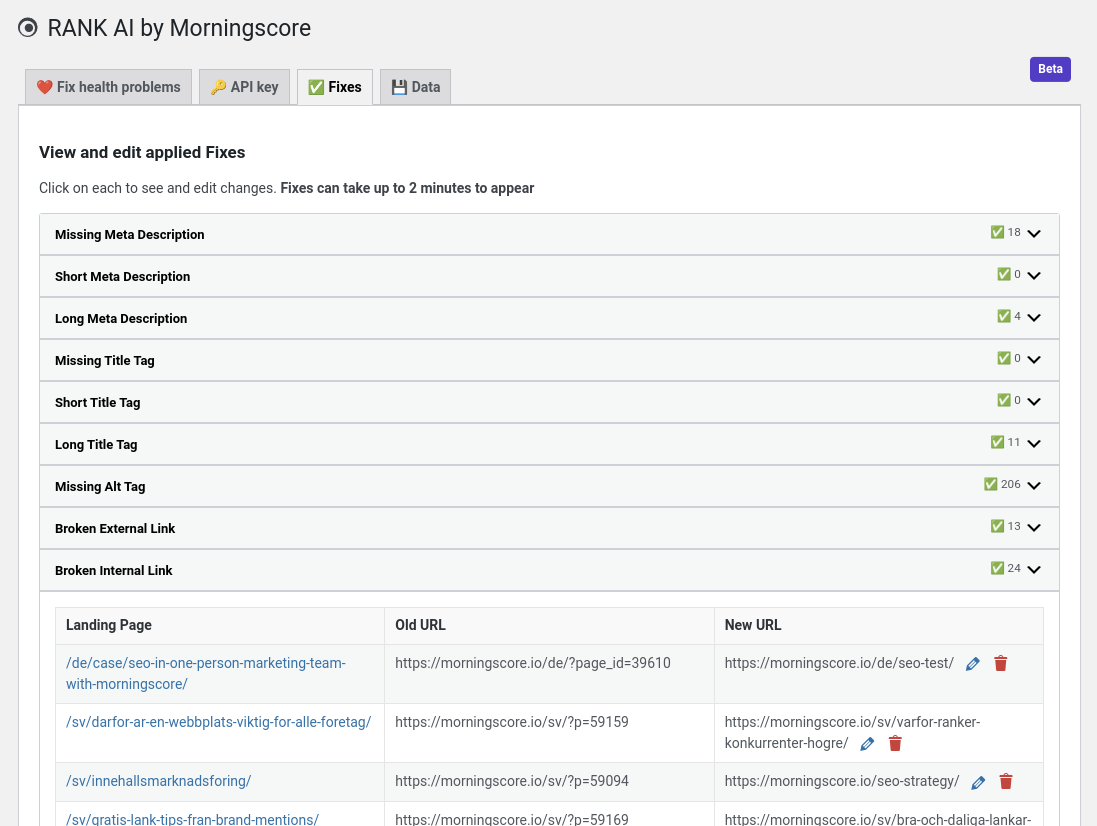
5. Automate bulk generation and insertion (WordPress and Shopify)
If you are using WordPress or Shopify (available via RANK AI, currently presented as beta/early-stage), you can automate both bulk generation and insertion directly on your website. Note that available Shopify documentation does not explicitly confirm automated broken-external-link replacement.
The Rank AI WordPress plugin applies fixes through WordPress frontend filters rather than editing theme files, and stores overrides in your site’s database. Morningscore reports an estimated 2-10 ms load impact. Fixes also remain live if your subscription ends, which is a practical detail worth knowing.
It can save you entire days or even weeks of work on big sites.
Read more about Rank AI, our WordPress plugin here
Automate broken external links fixes via our API
The Rank AI plugin is built on top of our public API. All the things you see above, you can also get programmatically via our API and build your own automation for your website. Note that the API is rate-limited to 2 requests per second.
Here you find an overview of all the onsite health automation offered.
… And now take good care out there in this crazy but wonderful world 🧑🚀
Frequently Asked Questions
Do broken external links hurt Google rankings?
A broken outbound link does not directly result in a Google ranking penalty. Google views 404 errors as a normal part of the web. However, dead links can still damage usability and trust for your visitors. It makes sense to prioritize fixing them on your most important pages where users rely on cited resources.
Does the AI automatically change my content without review?
It is highly recommended to review suggestions before applying them. While AI can analyze context to suggest a replacement, it might mistake topical similarity for factual equivalence. Our RANK AI plugin offers a manual approval mode so you stay in control. You should always verify the new source is trustworthy before clicking approve.
Should I fix every single missing link?
No, you do not have to fix every single one. Focus your time on high-traffic pages first. If a link supported a specific claim and no equivalent replacement exists, it is better to remove the link entirely rather than inserting an unrelated URL. Google notes that deleted content can remain 404 if there is no true replacement.
Can Morningscore apply bulk fixes on WordPress?
Yes, this is handled through the Rank AI WordPress plugin. It lets you review and approve fixes in bulk. The plugin applies them via frontend filters instead of editing your core theme files. The changes are stored in your site’s database, meaning fixes remain live even if your subscription eventually ends.