 Deutsch
 Dansk
Dansk Svenska
 Nederlands
 Español
 Lietuvos
Key Takeaways
- Check if your content is indexed by searching site:yourwebsite.com + “your keyword” to see how Google views your site.
- Follow our 7-step guide on how to rank for a keyword on Google by creating specific pages that match the top search results.
- Build at least 3 internal links and ensure your link profile is strong using recognized metrics like Domain Rating (DR) or Domain Authority (DA).
- Run a technical health test and wait at least 1-3 months for the initial effect of your SEO improvements to kick in.
Are you not ranking within the top-20 results for your keyword on Google? Or would you like to rank higher? If you want to know how to rank for a keyword on Google, modern SEO requires a structured approach based on Google’s ranking systems.
Here is a quick guide in 7 steps on how to rank for any keyword.
OBS: This guide provides a quick overview and low-hanging fruits 🍇 not the full manual.
Step 1: Google yourself to see if the keyword is on your website
This is what experts often do. It’s simple and powerful:
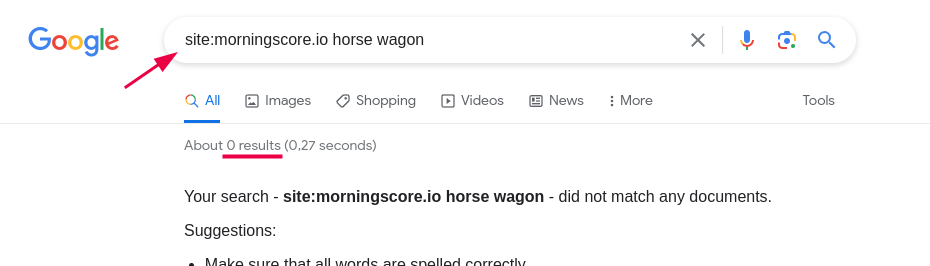
- Go to Google and put this in the search bar: site:yourwebsite.com your keyword. Example: “site:morningscore.io horse wagon” (put it without the “” in the search bar)

- Now check the results shown on Google. In the example above, Google did not find anything on our website related to “horse wagon” (we ain’t selling ’em 😉).
- If Google does not find any results for your keyword, there is a big chance you don’t write enough about it.
- If Google finds results but the pages are weird or not super specific or rich with information about the keyword, then you also have an issue.
- If Google finds a wonderful page that you believe should rank within the top-20, then skip step 2 below.
Expert Note: While Google’s site: operator is a great diagnostic tool, it doesn’t always show every indexed URL. For a 100% accurate check, use the URL Inspection tool in Google Search Console.
Step 2: Create a new page or optimize existing for your keyword
- If your situation fits point 3 in the checklist above, then you need to create a new page on your website. This is the first step in learning how to rank for a keyword on Google effectively. Before you do, make sure no pages already exist with that keyword in focus by manually checking in your CMS (website editor). Follow step 3 to make sure your new page is optimized for your keyword.
- If your situation fits point 4 in the checklist above, then you need to figure out if the current pages that Google found are relevant for your keyword. If they only mention your keyword like a little side-note, my answer would be a clear no, and you should create a new page. If you think the keyword is in focus, then improve the page by following step 3.
Google’s primary goal is creating helpful, people-first content. If your page doesn’t satisfy the searcher’s intent better than the current top 10, it will be hard to rank.
Step 3: Use this checklist on how to rank for a keyword on google
Before I give you the checklist, you need to first do a simple Google search for your keyword – like I did here for “horse wagon”:
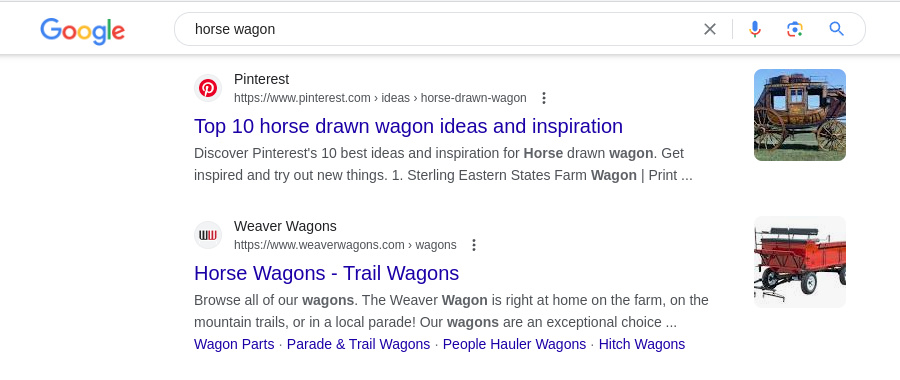
Now I open the top organic results (so not the ads) and check what they wrote on their pages. This is my best clue for what to write on a page to get to the top of Google.
In the above example, I can see Google values visual inspiration and sellers of horse wagons.
Also, note down the number of words used on the page. According to Backlinko’s analysis of ranking factors, the average top-ranking page on Google contains between 1,400 to 1,750 words. However, benchmarks from WebFX show this varies significantly by niche. Don’t just hit a word count; ensure you provide more depth and unique experience than your competitors.
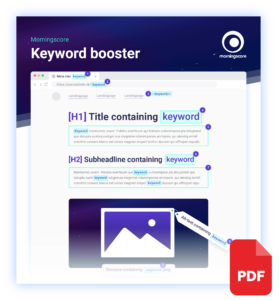
With that in mind, open this keyword booster PDF that shows you where to include your keyword.
You will need to do all of this in your CMS. If you do not know how, an SEO tool like Morningscore can guide you step by step.
To summarize, you need to:
- Google your keyword
- Check what the top search results write about and match it
- Note down the number of words. Match it if relevant. Focus on quality
- Open the PDF
- Follow the PDF and improve your page in your CMS
Step 4: Build at least 3 internal links
Even if you have the most awesome page in the world, it won’t rank unless you link to it.
Build at least 3 links from your website to the page you are fixing in step 3. Google’s link best practices highlight that internal links help them discover your content and understand the relationship between pages.
How much does this matter? Google’s explanation of ranking results and signals shows that internal signals and content depth are key for relevance. Furthermore, split tests by SearchPilot have documented organic traffic uplifts of 5-7% just from improving internal linking structures.
See my 1-min video guide on how to build internal links:
In the video, I follow step 1 and found several pages on Google that I could build links from.
Step 5: Check if you have enough links from other websites
If no one mentions you on the internet, Google (generally) doesn’t rank your website. This is the hard reality 😑.
So you need to figure out if you have enough links from other websites.
Tools you can use for a free check:
Instead of relying on a single proprietary score, SEOs use metrics like Domain Rating (DR) or Domain Authority (DA) to estimate strength. For example, WebFX reports that top-ranking pages have an average of around 365 referring domains, though this varies by how competitive your keyword is.
We use a proprietary Linkscore in our tool to help you track progress, which is based on the widely used DA metric from Moz performance metrics.
Building links is about quality, not just quantity!
Step 6: Run a Google health test of your website
Sometimes there are fundamental issues with websites that stop them from ranking on Google. To make sure this is not the case for your website, run an SEO test and get a score from 0-100 to see if things are generally OK according to Google’s technical requirements.
Tools you can use for a free health check:
I recommend these tools because they let you check more than just your frontpage. For instance, real-world case studies show that fixing technical errors like broken links and canonical issues can lead to an immediate 9-11% increase in users.
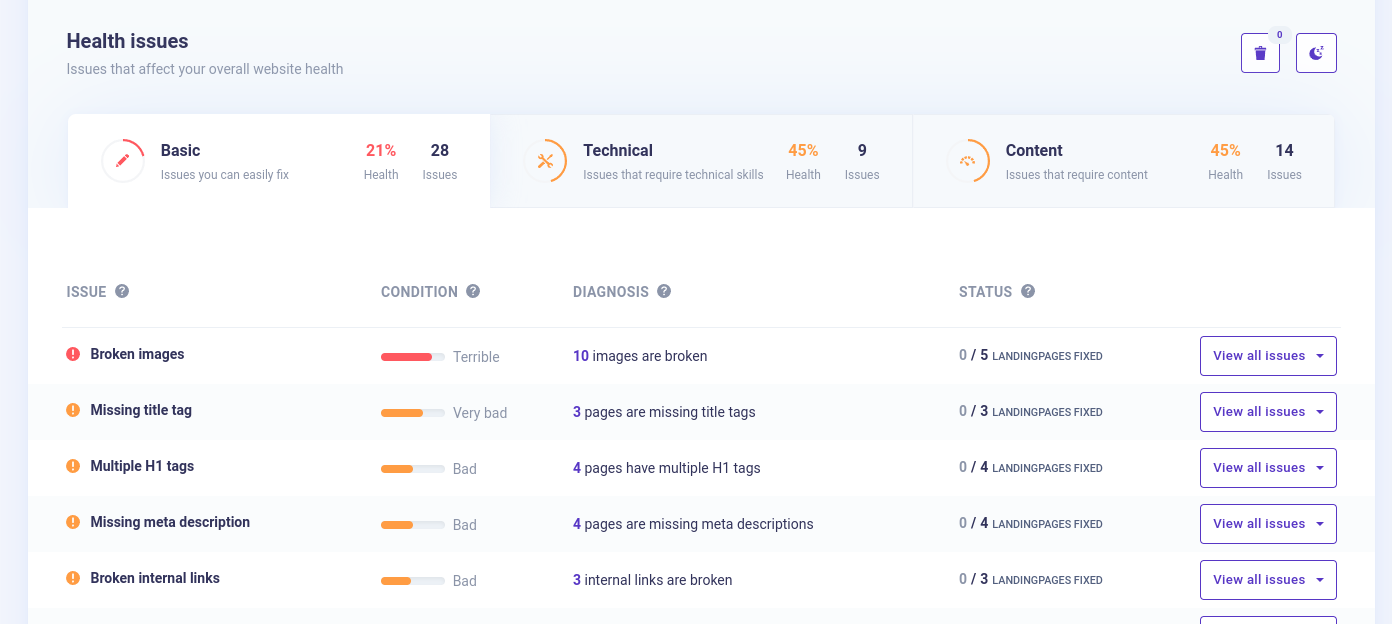
You don’t need a perfect score to rank, far from it. But if you get a score below 60 and there are big problems on your site, it might stop you from ranking.
Step 7: How to rank for a keyword on google by waiting 1 month
SEO is a long-term game. While early indexation signals can appear in days, meaningful ranking movement often takes time. According to SEO industry timelines, you should expect:
- 1-3 months: Initial ranking movements for low-competition keywords.
- 3-6 months: Measurable traffic growth and ranking improvements.
- 6-12 months: Full results for highly competitive terms.
Because rankings depend on competition and algorithm updates, no reputable provider can guarantee a specific position. However, if you follow this guide, you are aligning your site with the same strategies used in successful case studies like Visit Atlantic City, which saw a 661% organic traffic increase through optimization and technical fixes.
Monitor your rankings with your favorite keyword management tool.
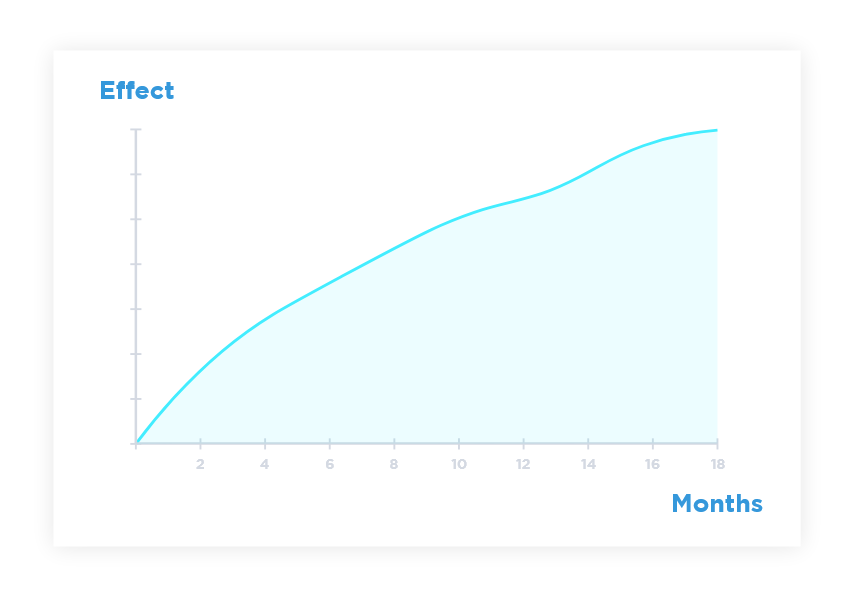
– The full effect of SEO can take 12-18 months for maximum builds
Next up: If you also want to make sure your keywords appear in AI chatbots, see this ChatGPT ranking checklist
Frequently Asked Questions
How long until Google indexes my new or updated page?
Indexing usually occurs within a few days to a couple of weeks. You can speed up the process by using the URL Inspection tool in Google Search Console to request a recrawl, though this is not an instant guarantee for inclusion.
How many internal links do I need to help a page rank?
There is no strict number you must hit, but we recommend adding at least three contextual internal links from relevant pages on your site. Focus on using descriptive anchor text and linking from pages that already have some authority to help Google understand the relationship between your content.
How long should my page be to rank for a competitive keyword?
While many top-ranking pages often exceed 2,000 words, there is no universal word count for SEO. You should aim to fully satisfy the searcher’s intent; sometimes a concise, direct answer is better than a long post that adds no extra value.
How many backlinks are needed to rank on the first page?
Backlink requirements depend entirely on the competition for your specific keyword. Instead of chasing a random number, analyze the backlink profiles of the top 10 results and prioritize earning high-quality, topical links rather than a large quantity of low-quality ones.
What is keyword cannibalization and how do I fix it?
Cannibalization happens when multiple pages on your website compete for the exact same keyword or intent, which can confuse Google and hurt your rankings. You can fix this by merging the competing pages into one “power page” or by using 301 redirects to point toward your preferred URL.
Is focusing on one specific keyword outdated?
Targeting a single exact-match keyword is less effective today than it used to be. Modern SEO is about topic clusters and matching user intent, so you should aim to rank for a primary topic and all its related long-tail variations to capture more traffic.