
 Deutsch
 Dansk
Dansk Svenska
 Nederlands
 Español
 Lietuvos
Page Booster improves the SEO of any existing page on your website with just a few clicks.
Simply add your URLs and Page Booster analyzes and improves existing pages using advanced AI workflows built around Google’s SEO best practices.
It works with WordPress, Shopify, and custom API integrations, combining keyword optimization, content refreshes, E-E-A-T improvements, FAQs, title tags, and meta descriptions into a single automated workflow.
What It Does
See demonstration video above.
The Page Bosoter tool basically optimizes the content of any page on your website via powerful AI flows based on Googles best practices so you can rank higher in Google and ChatGPT
This is how you use it step-by-step
- Add URLs — Paste up to 100 page URLs. Page Booster checks whether each page can be optimized.
- Review keywords — If Morningscore is connected, tracked keywords are loaded automatically.
- Configure settings — Choose automatic or manual mode, edit keywords, select checks, and choose whether to update the publish date.
- Start optimization — Page Booster processes URLs in the background, one at a time. Progress is shown for each check.
- Review drafts — Review the suggested changes, preview the page, edit the draft, or publish directly.
- Publish — Apply the selected changes to your website.
- Rollback if needed — Restore the original content at any time.
Available Optimizations
You can let AI choose which checks to run or select them manually.
| Check | Description |
|---|---|
| Key Takeaways | Adds a short summary section at top |
| Optimize Keywords | Improves keyword usage in the content |
| Improve H1 | Rewrites the main page heading |
| Rewrite Content | Rewrites content to improve SEO |
| Outdated Content | Refreshes old or outdated information |
| E-E-A-T Signals | Adds trust, expertise, and authority signals |
| External Links | Reviews and improves external links |
| FAQ | Creates an FAQ section at bottom |
| Fix Grammar | Fixes grammar and readability issues |
| Title Tag | Optimizes the SEO title tag |
| Meta Description | Optimizes the meta description |
Processing Modes
- Automatic (10 credits per URL) — AI analyzes the page and decides which checks to run. Progress is shown in real time.
- Manual / Choose Fixes (2 credits per check) — You choose which checks to run. Each completed check is used as input for the next one.
WordPress Plugin
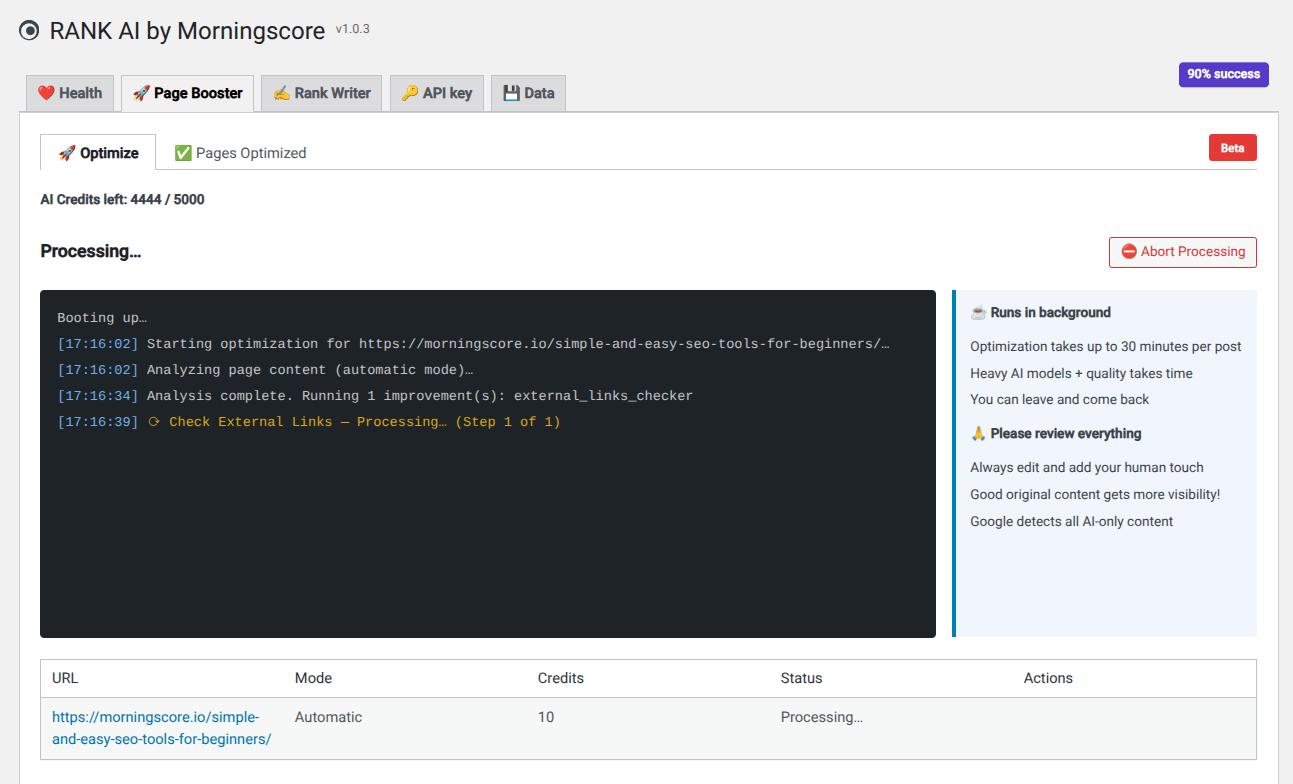
Page Booster supports multiple WordPress editors and SEO plugins. It detects the editor used on each page and adjusts the optimization process automatically.
Supported Editors
| Editor | Basic fixes | Full integration |
|---|---|---|
| Classic Editor | ✅ | ✅ |
| Gutenberg (Block Editor) | ✅ | ✅ |
| Elementor | ✅ | ✅ |
| Divi | ✅ | ✅ |
| Beaver Builder | ✅ | ❌ |
| SiteOrigin Page Builder | ✅ | ❌ |
| Oxygen Builder | ✅ | ❌ |
| Brizy | ✅ | ❌ |
| Thrive Architect | ✅ | ❌ |
| WPBakery (Visual Composer) | ✅ | ❌ |
SEO Plugins Compatibility
Page Booster is fully compatible with these SEO plugins. And if you do not have a SEO plugin installed, that is also no problem (recommended though).
| SEO Plugin | Fully compatible |
|---|---|
| Yoast SEO | ✅ |
| RankMath | ✅ |
| SEOPress | ✅ |
Technical details
How changes are technically applied
- A WordPress revision is created before any changes are published.
- Content is written to the correct location depending on the editor used.
- SEO titles and meta descriptions are updated in supported SEO plugins.
- For Elementor pages, content is mapped back into existing widgets to keep the layout unchanged.
- New FAQ or Key Takeaway sections are added as new widgets when needed.
- The optional publish date update changes both the publish date and modified date.
Original content is backed up
Page Booster uses WordPress revisions. Every push-live action creates a revision, making it easy to restore the previous version from WordPress.
Languages: WPML & Polylang Support
- Language is detected for each URL individually.
- Keywords are loaded from the correct language-specific Morningscore domain.
- URL-to-post matching respects WPML and Polylang language settings.
Background Processing: You can close tab and come back
Page Booster uses Action Scheduler instead of WP-Cron. This provides more reliable background processing, automatic recovery of failed jobs, and validation for Gutenberg and Divi content.
Shopify App
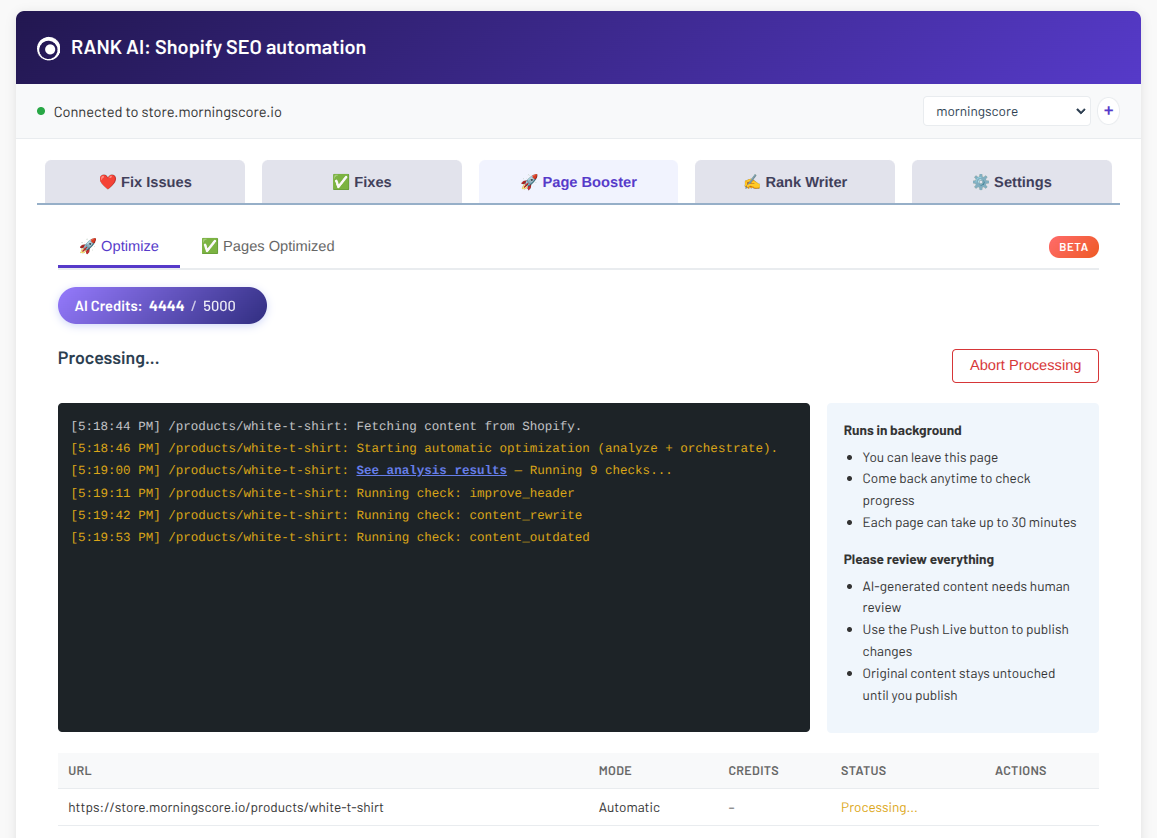
Supported Content Types
| Resource | Content | Custom fields | Title Tag | Meta Description |
|---|---|---|---|---|
| Product | ✅ | ✅ | ✅ | ✅ |
| Page | ✅ | ✅ | ✅ | ✅ |
| Blog Article | ✅ | ✅ | ✅ | ✅ |
| Collection | ❌ | ✅ | ✅ | ✅ |
Collections support title and meta description updates only. Body content is not optimized.
Technical details
How changes are technically applied
When publishing changes, you can choose which fields to update:
- Body content
- Title
- SEO title
- Meta description
- Custom metafields
Changes are applied directly through the Shopify API.
Original content is backed up
The original content is saved before changes are published. You can restore the original version at any time with one click.
Translations
Page Booster supports multilingual Shopify stores and can optimize content for non-primary languages. It also supports different TLD’s like .de .uk and so on.
API
Page Booster is available through our API for custom integrations.
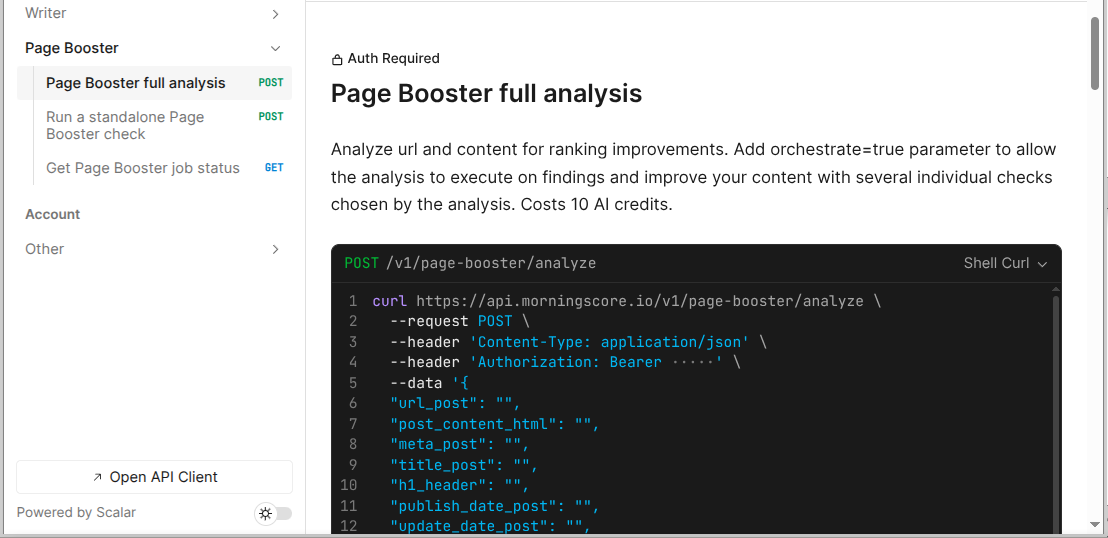
If you have any questions about how to get going with the Page Booster, just write in our chat and we will gladly help 👨🚀👩🚀