 Dansk
Dansk Deutsch
 Svenska
 Español
 Nederlands
Server log file analysis has become the cool new marketer skill now that AI is so hard to track in general. Let me prove to you that it is actually VERY easy to do 👍️
Many do not know that Cloudflare allows you to easily do this. You can basically track AI bots and their activity on your website.
Here is a step by step guide on how to use Cloudflares AI Crawl Control and how I would use it as a marketer:
10 steps to analyze AI server logs with Cloudflare:
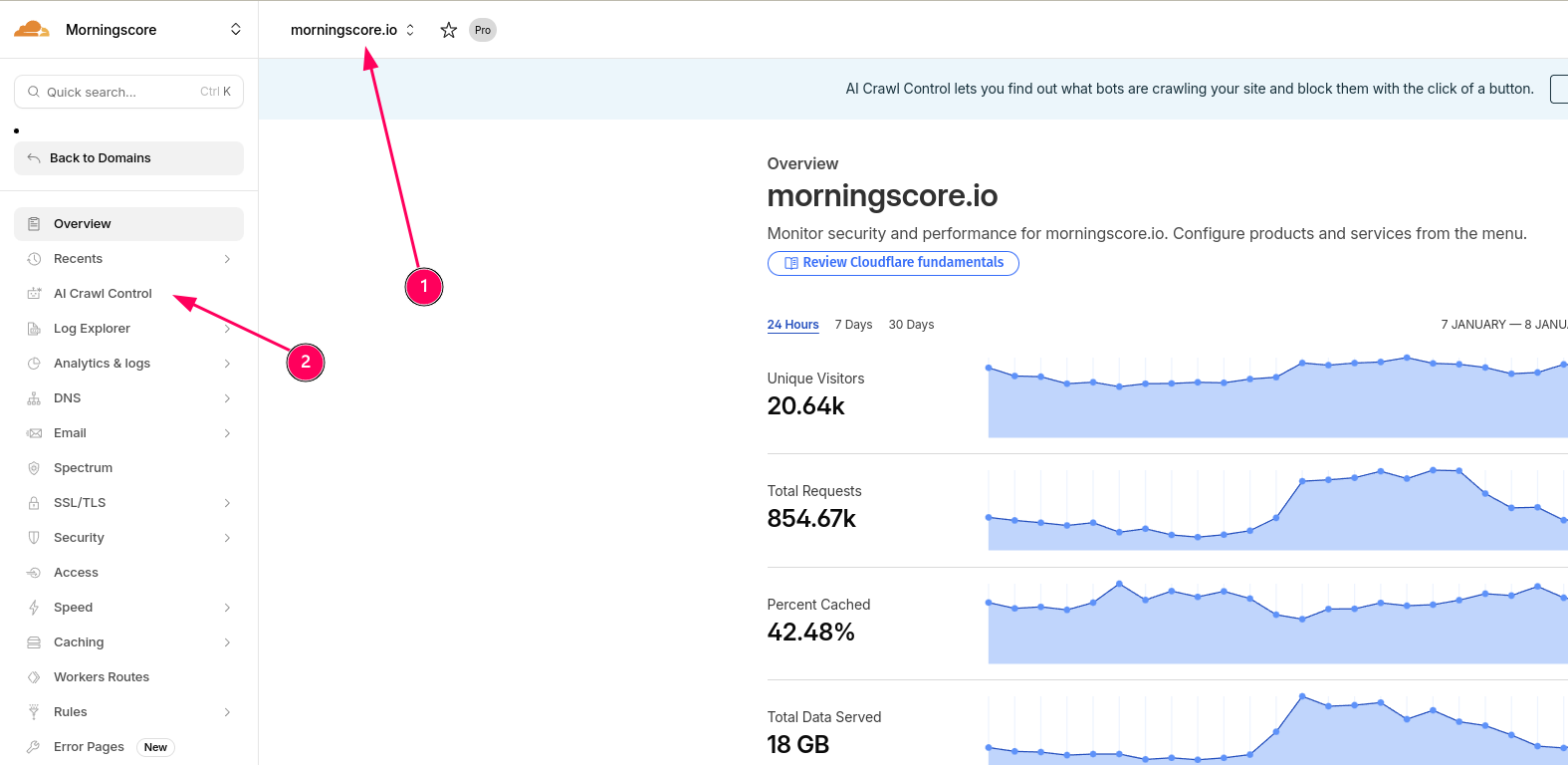
- Log into Cloudflare and select the website you want data for:
- Click on “AI Crawl Control” in the lefthand menu:

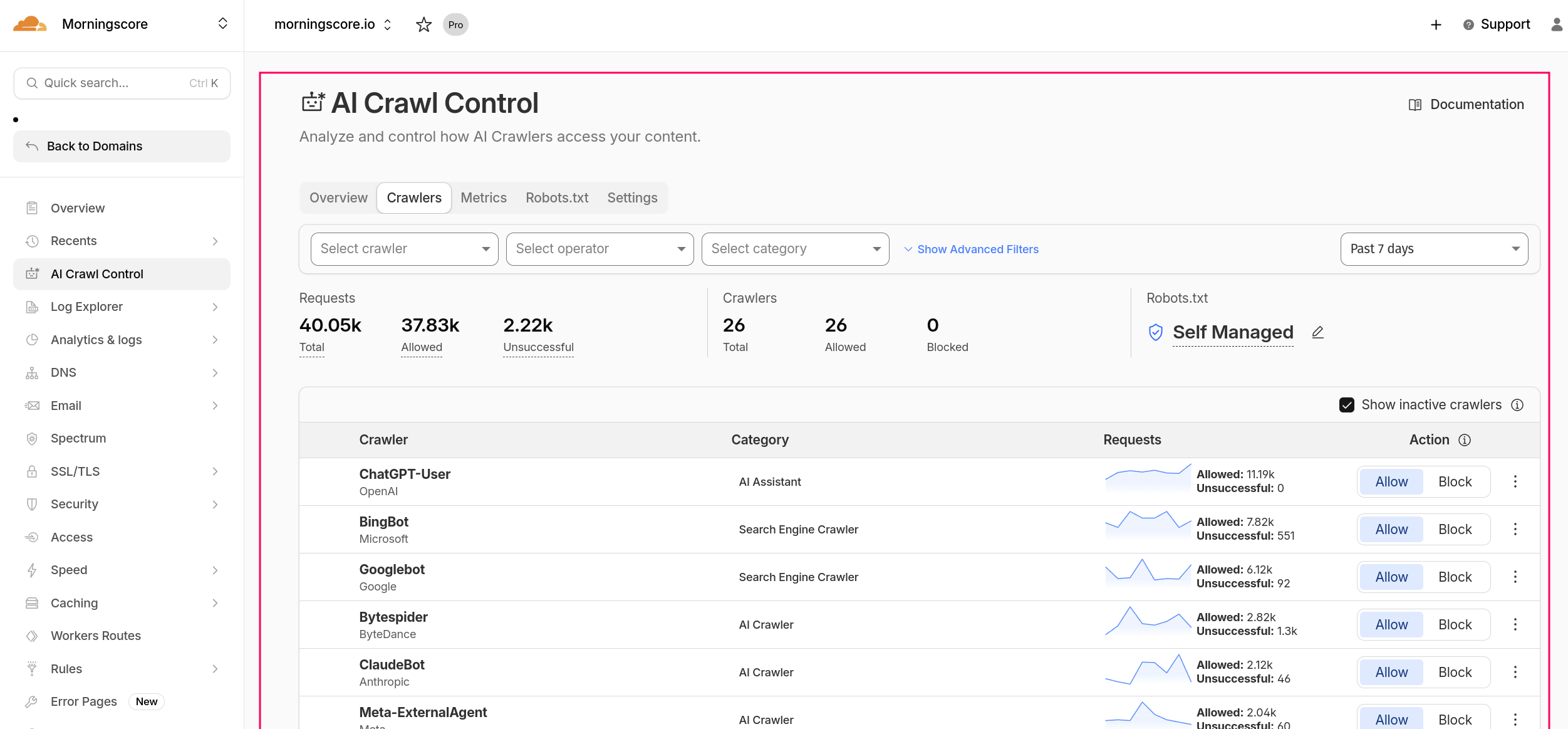
- You should now see data similar to this:
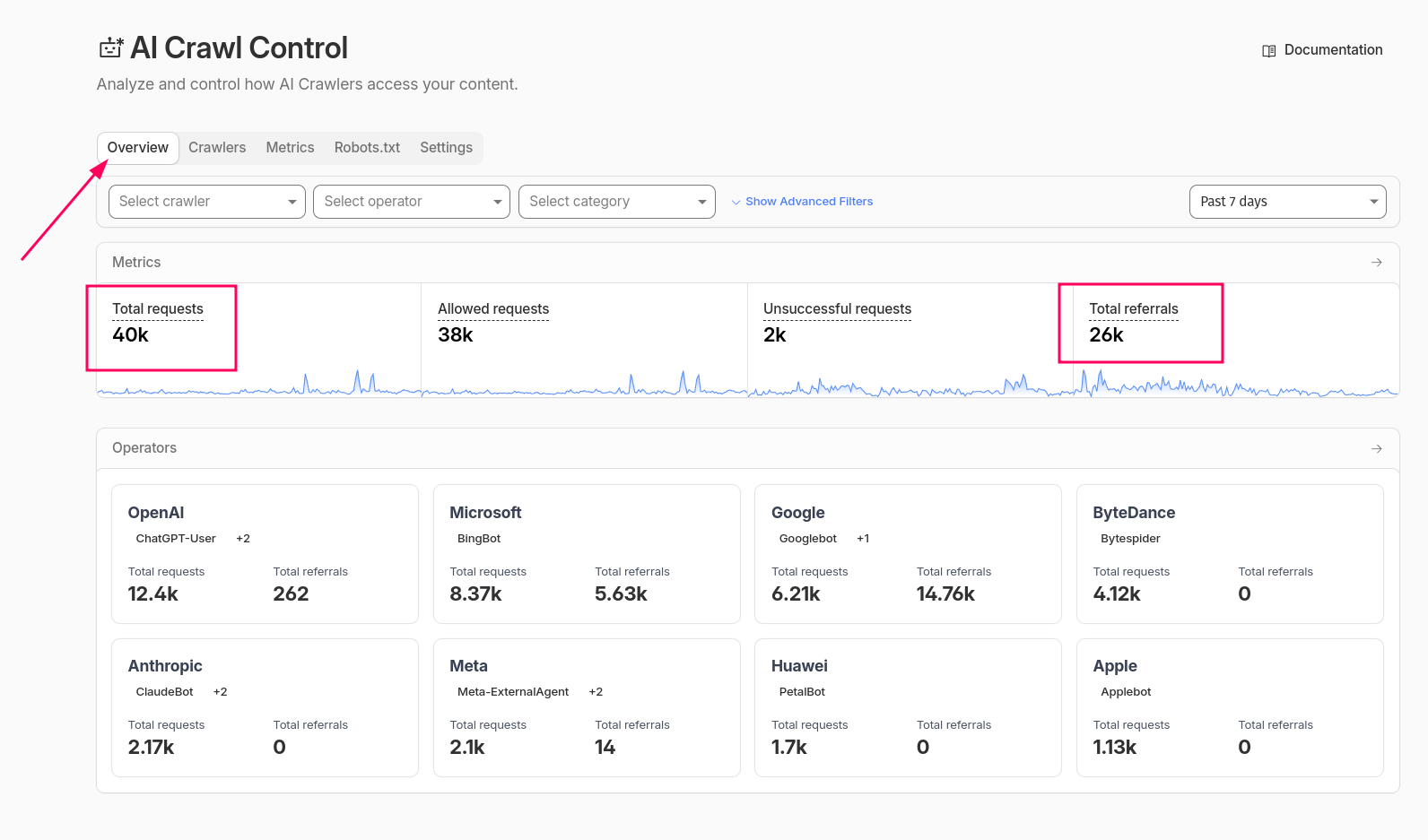
- Click on “Overview” to see your overall stats. “Requests” are all kinds of ways bots might check your website, including not actually seeing the content but just checking if it’s alive for example. Referrals are real browser visits to your site, but not necessarily by humans. In my own little test I see that 10% of the referrals are unique human clicks. There is no exact science here, but you can verify it via other Cloudflare tools (HTTP Traffic) and other website analytics platforms. I show you a method below.
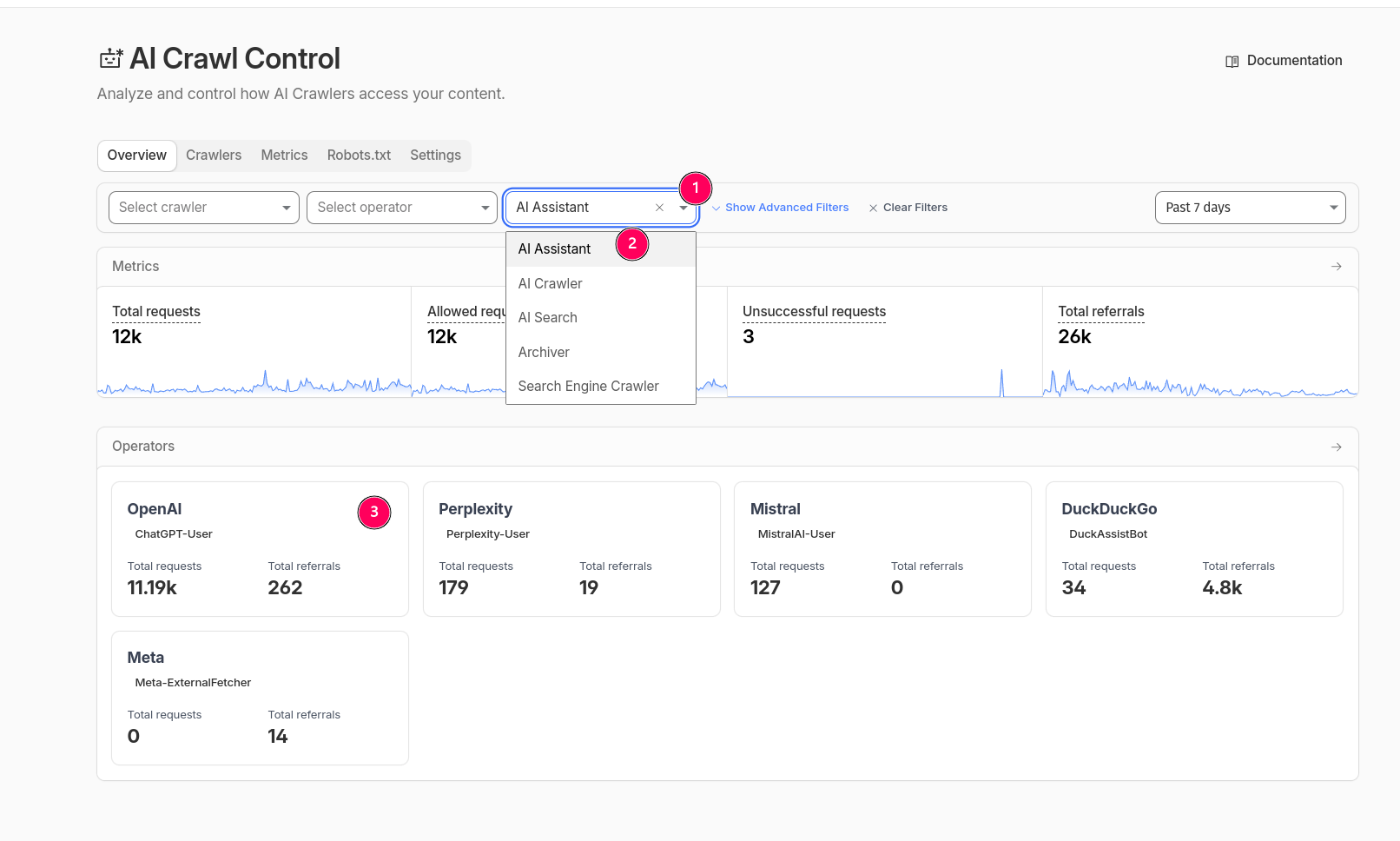
- To see ChatGPT bots that check your site based on users chatting (either to provide it as part of answer or use it as a source) click on these:
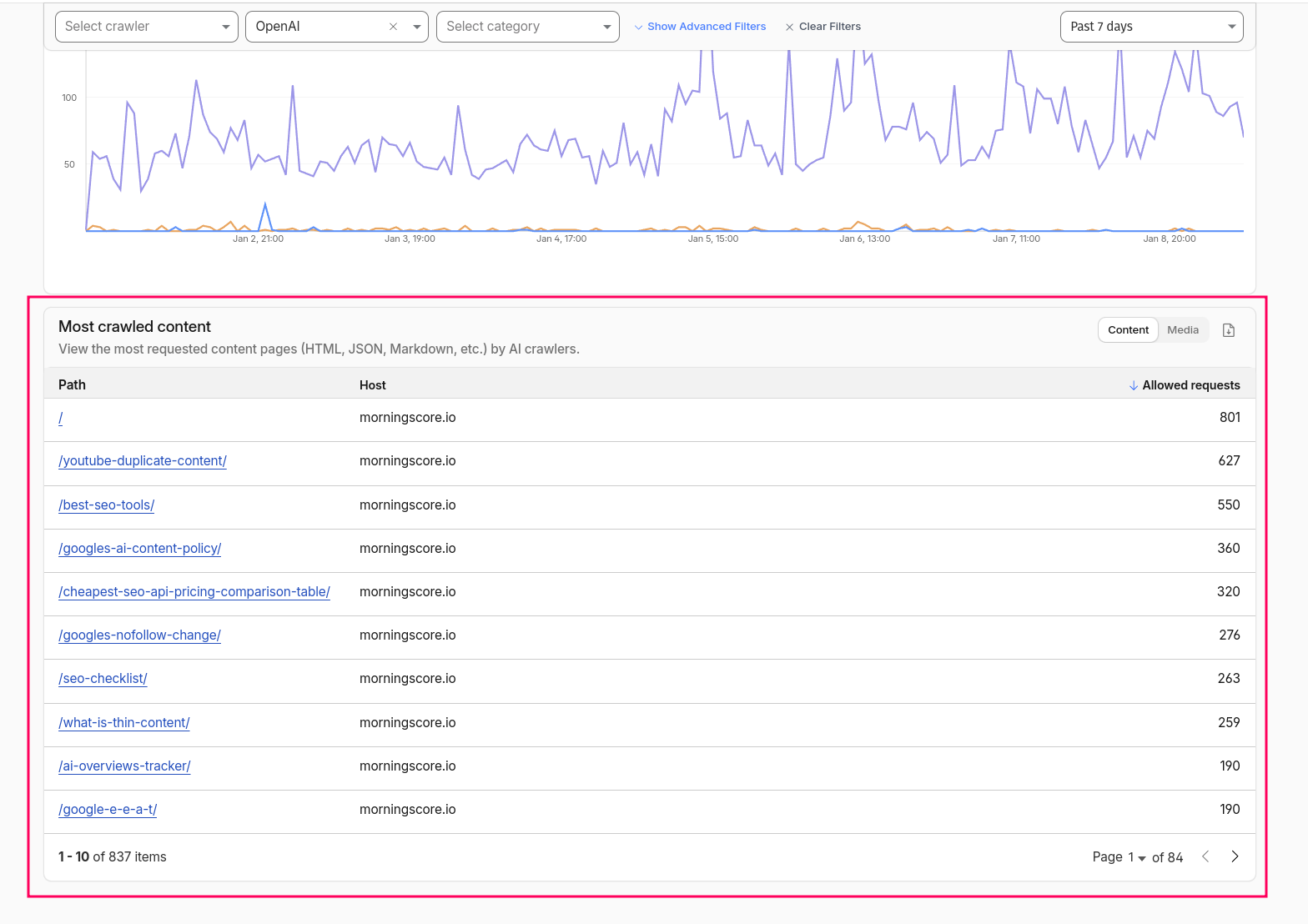
- Now scroll down to the bottom until you see this part. This is the secret sauce in my opinion. This information can be used in my work as a marketer. I can basically see which landing pages ChatGPT assistants visits the most, and this is a performance indicator for which landing pages appear the most as sources and even in the answers to user prompts:
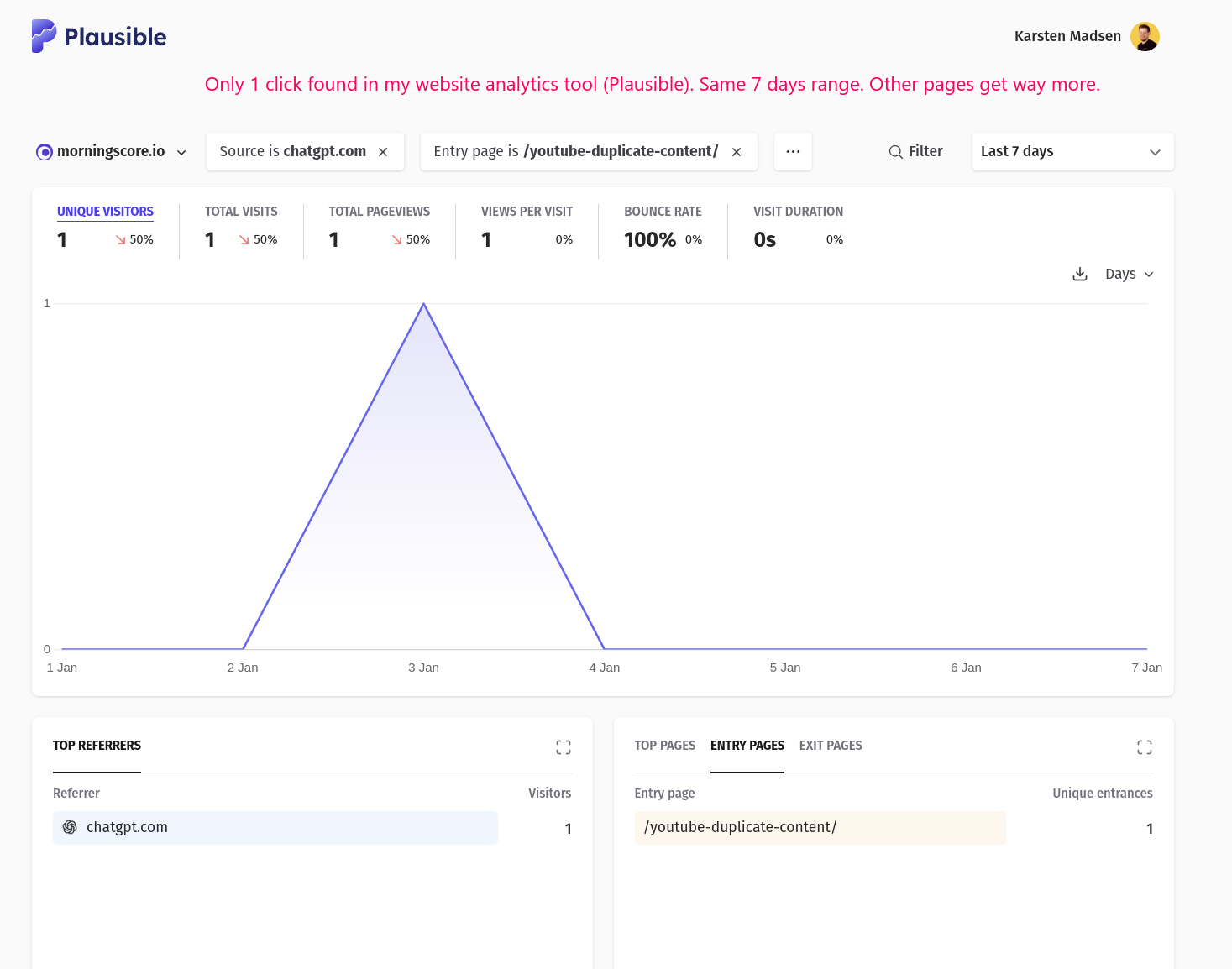
- The above is not necessarily a scored list though. I can see in our Analytics tool and in Cloudflares own HTTP Traffic tool, that for example /youtube-duplicate-content/ yields very few real user clicks, so here I am mainly used as a source (or maybe even without being credited. I wouldn’t be suprised):
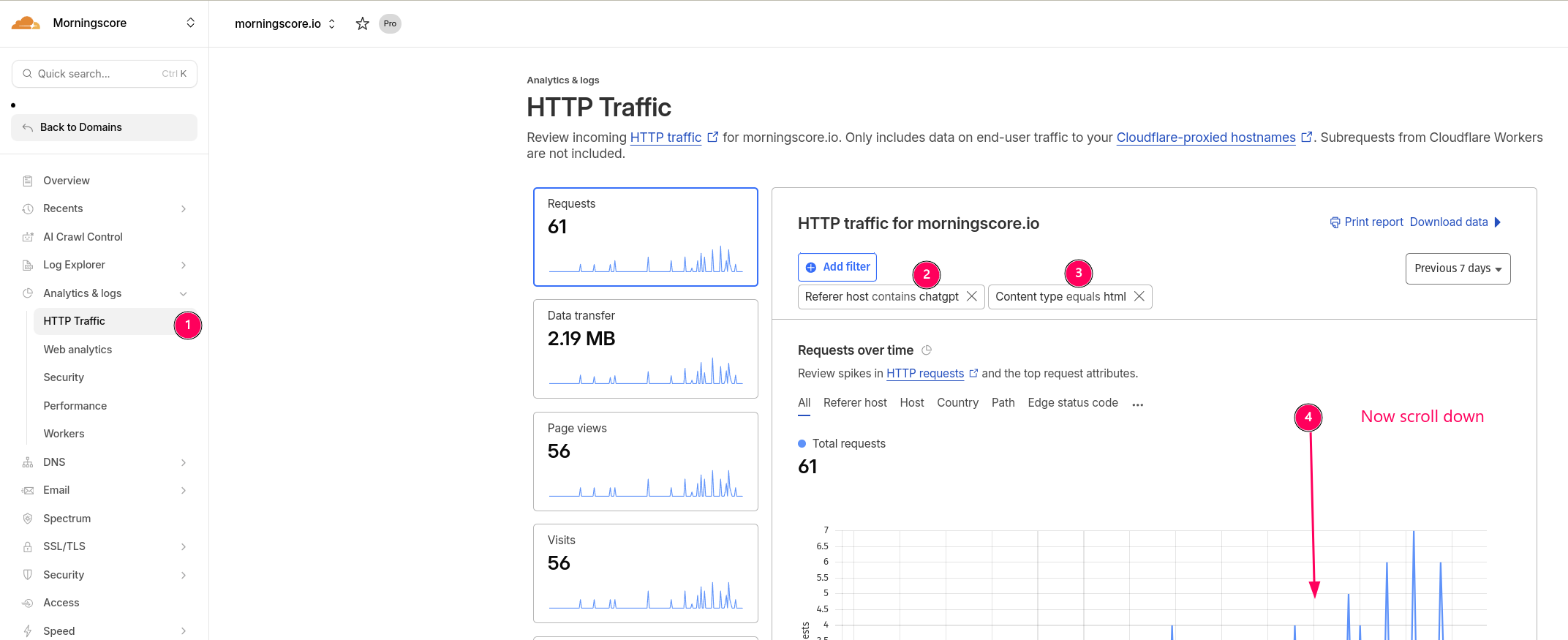
- And here is how you can find similar data via HTTP Traffic tool using filters. Set up these 2 filters like I did here to clean up the data and see real page visits:
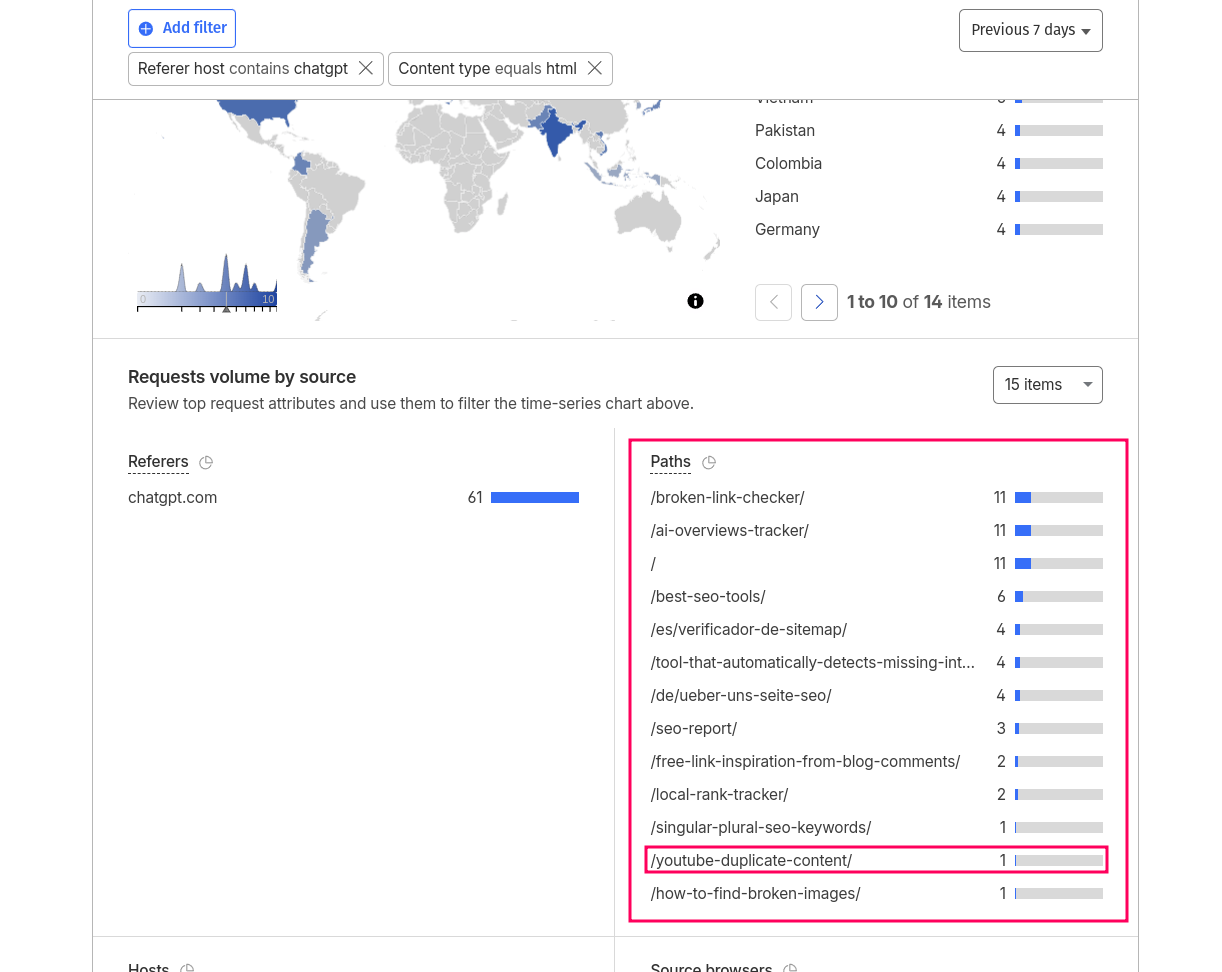
- Now scroll down until you see this table (you can expand it to 15 items). The data here is quite similar to what I have in my website analytics tool, and gives you a decent indication of which pages get real traffic from ChatGPT:
How should I use this data to grow my ChatGPT visibility?
I would keep an eye on the most crawled content, and use that to decide if any of your content should get higher priority. In my case I see quite a lot of activity around https://morningscore.io/best-seo-tools/ (both bot traffic and real traffic) so I will now prioritize a pending update even higher. And also as I create new content I can come back to this data monthly to check if any new content is popular with ChatGPT and double down on that. You get the picture by now.
And to get the best picture I would take the above data and combine it with ChatGPT tracking. There are many good tools for this. We have built one that our customers say is great with solid data, so you could check out GEO tool for free. Here you can see how I use it to track prompts, and how I can verify that indeed the /best-seo-tools page is bringing us valuable mentions: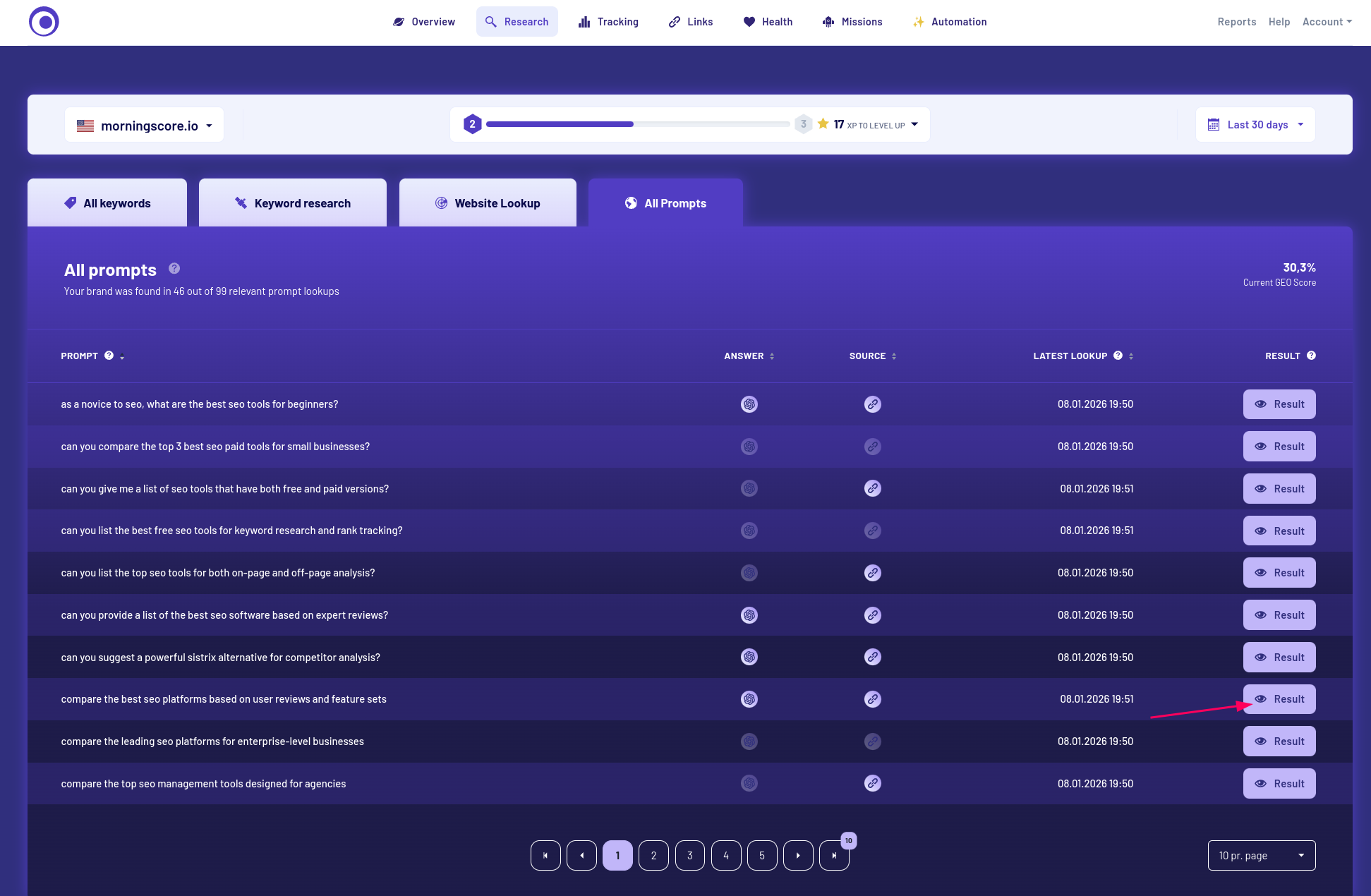
And as I open the result popup window to see what was actually answered by ChatGPT I see: 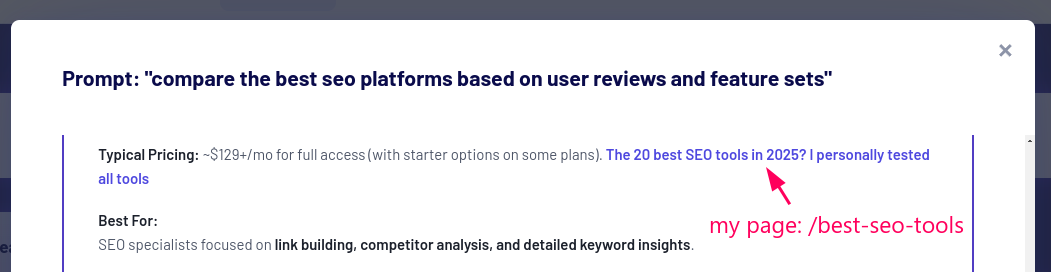
This last part makes everything real and I can quickly understand how I practically perform in ChatGPT and other AI chat tools 🙂
Cloudflare 👎️
I just have to quickly say that I am shocked Cloudflare has a business model where you cannot fully download your own websites server logs unless you pay enormous amounts of money (Enterprise plan is needed for full access). I find this just wrong. And therefore this post is by no means an endorsement of Cloudflare. If you have another provider you might actually be lucky, even though you don’t have a fancy dashboard, you can often export logs and use something like Screaming Frog log analyzer to get similar (and in some cases better) data.
Thanks for reading this 100% human written article 😊
Thanks for reading this guide. I hope you found it useful and are also excited about AI bot and log file analysis.
People often say server log analysis like what we just did here (light weight style of course) is only for technical SEO pros. But I think it will become a lot more mainstream in the next couple of years 👍️