
 Dansk
Dansk Deutsch
 Svenska
 Español
 Nederlands
Now you can fully automate SEO onsite health fixes with Morningscore and our Shopify App where you own the fixes (not a standard):
⬇️ Install RANK AI App for Shopify
1 fix = 1 AI credit. Example: Business $99/mo gives 1.000 credits/mo (see plans). 200+ sites installed. Several told us weeks of work was saved 🥳 – Free version available
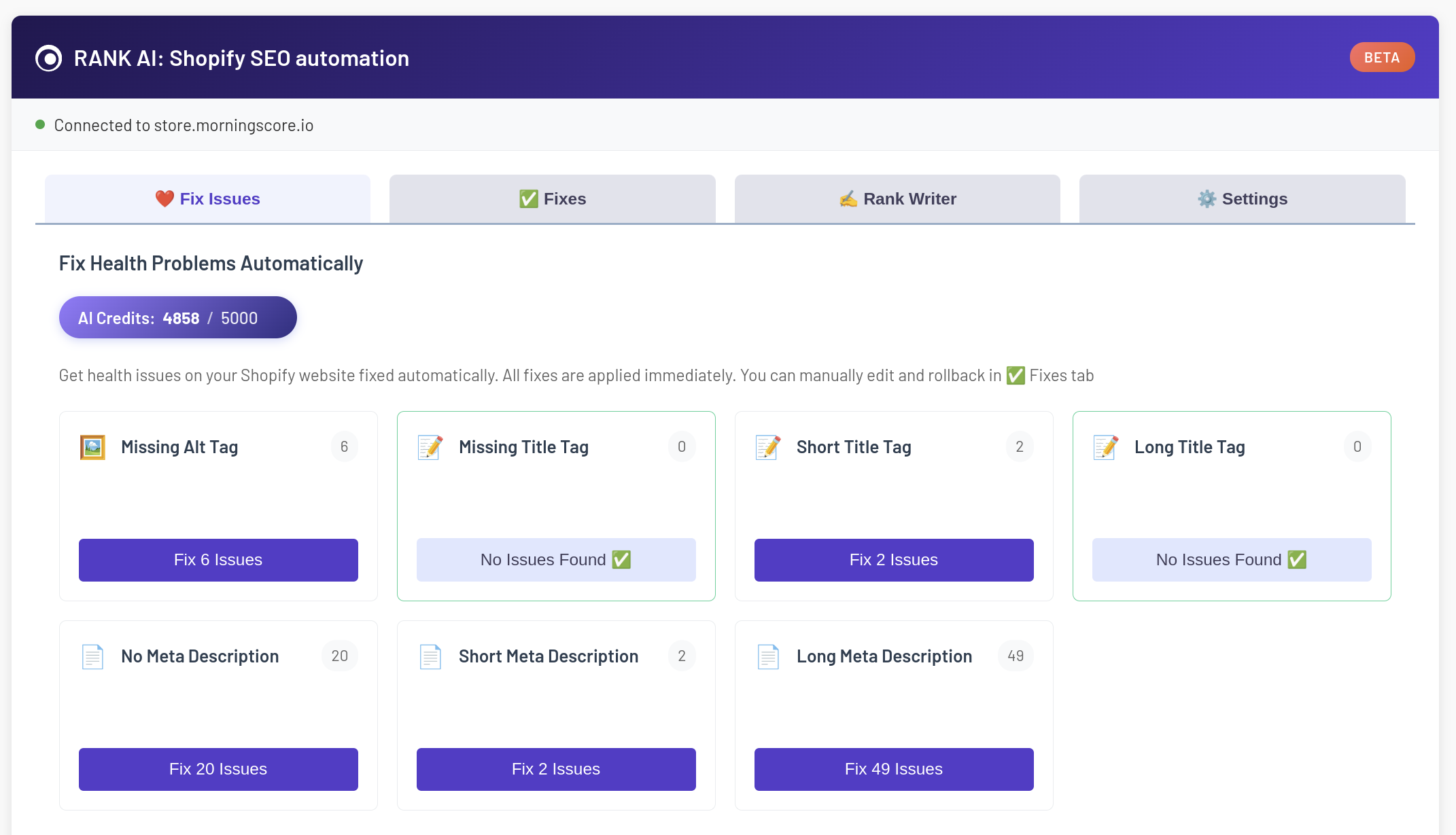
You can test the App for free with a trial account and 20 credits to fix problems automatically:
Installation guide
1. Create a Morningscore account (Start with a free trial to test the data 👆️) → do a full health scan → can take several hours to finish:
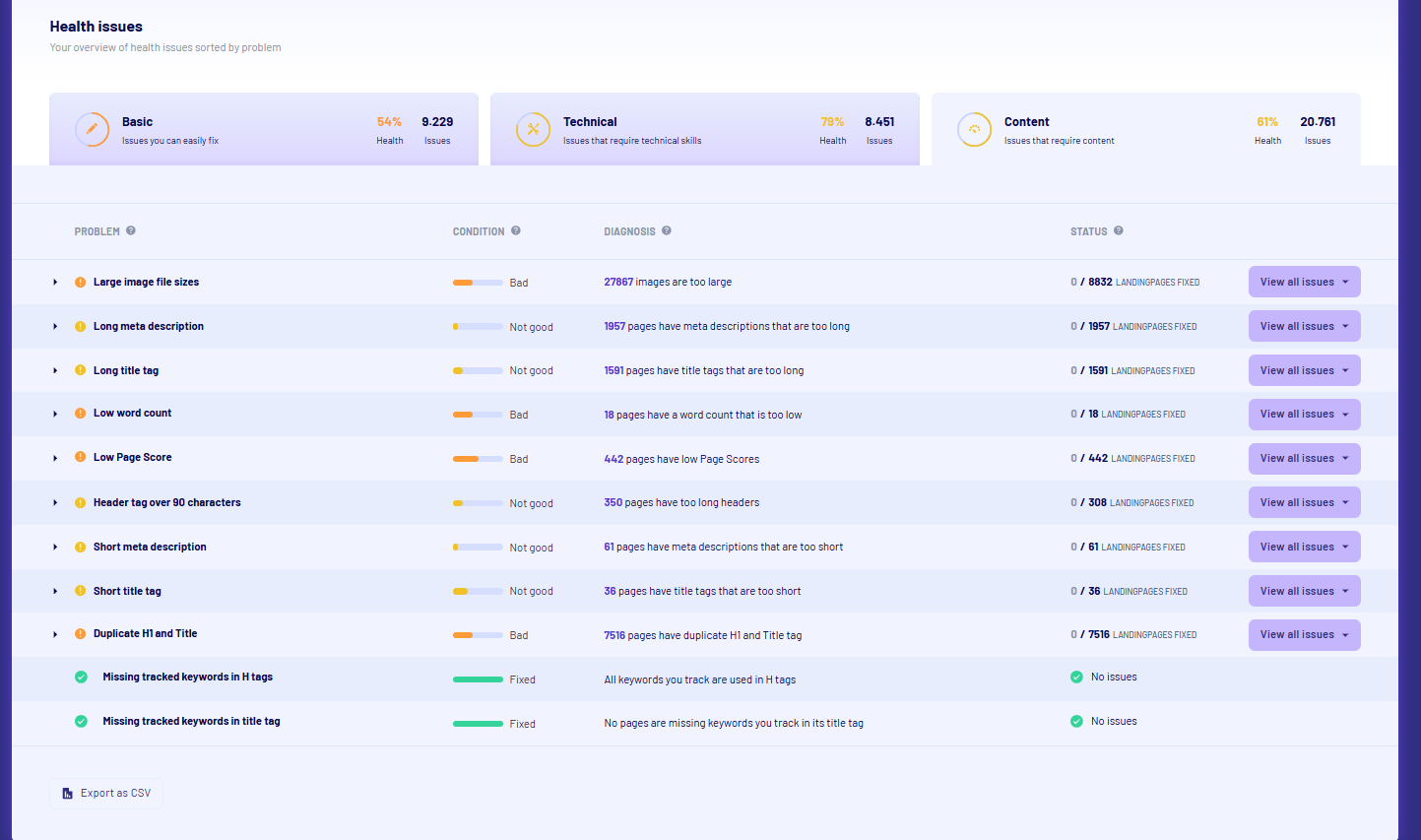
2. Go to rank.morningscore.io to install the App – this is also the website where the App runs through (it is not added to your Shopify admin interface)
3. After installation you must insert your Morningscore API key found in your Settings page in your Morningscore account. You also get an API key in the free trial 👍️
4. Now you are ready to start using the Shopify App and automate fixes of your SEO onsite problems
Usage guide
4 minute video walkthrough:
RANK AI for Shopify FAQ
Why does it take up to 20 seconds per fix?
We do not just give you some superficial fast AI. The page and SEO data is collected and analyzed and this takes time for the AI to do. Quality takes time. This is also why we recommend to do “Automatic”, let the App work in a tab in your browser while you do other things, and then after it’s done manually review all changes and edit them in the Fixes tab. This is much faster.
How are fixes applied?
You own your data. All fixes are stored in your Shopify websites database. No JavaScript that gets applied on top as a filter, which many other tools do. This is bad for SEO and GEO. This is also bad for you, since you will not fully own these fixes, but often rely on paying your tool to keep having these fixes applied. I consider this Ransomware. Not with us! When you fix something with RANK AI for Shopify you own the data since the fixes goes directly to your database just like if you had done the fixes yourself in the Shopify admin.
How fast are fixes applied?
Around 30 seconds after you have automatically added a fix it should be added to your database and immediately apply. If you have caching in place you might need to clear it first for the fix to apply.
Fixes are done but Morningscore still says there are problems
This can be caused by 2 issues:
- You have Cache on your website and need to clear it.
- Incompatibility issues. There could either be an issue with your Shopify Theme conflicting with our App or our health scanner has some issues finding the fix. You can try to first verify yourself that the fix is on the page by pressing CTRL + U to see if your fix is in the HTML code (a little advanced, but necessary to confirm).
Please don’t get too frustrated, the internet is not perfect, neither is this App 🥲
I recommend to see it this way: If the App can fix around 80% of your issues, it still saved you a lot of time and you can choose to manually fix the last 20% 👍️
Something is not working for me
Sorry about that! Shopify is very complex. Many other Apps and themes can play a game with us. Please write us in the chat and we see if we can fix the problem 😊
Give me a more technical explanation of how the app works
Issues are fetched from Morningscore’s Health API in the admin panel where users select an issue type (missing titles, meta descriptions, or alt tags). The app then calls the Morningscore AI API to generate fixes, consuming 1 AI credit per fix.
Fixes are queued via a background job processor with WebSocket updates for real-time progress. Each fix is applied directly to Shopify through the Shopify GraphQL Admin API – updating product titles, meta descriptions, collection descriptions, article content, and image alt tags.
All changes are stored in a PostgreSQL database with full before/after values, enabling one-click rollback of any individual fix or entire session. Unlike plugins that modify the frontend, this app writes directly to your Shopify store data – so changes persist in your actual product/collection/article records.
The app supports:
- Products – SEO titles, meta descriptions, and image alt tags (both gallery images and description HTML images)
- Collections – Meta descriptions
- Blog Articles – Meta descriptions and body image alt tags
- Store Files – Alt tags for theme/section images via the Files API
Processing is capped at 5,000 issues per scan to prevent API overload. The app uses OAuth 2.0 for secure Shopify authentication with mandatory compliance webhooks for GDPR data requests.
Since fixes are written directly to Shopify’s database (not frontend filters), there’s zero performance impact on your store. Your changes become native Shopify data – visible in your admin panel and fully editable there too.