
 Deutsch
 Dansk
Dansk Svenska
 Nederlands
 Español
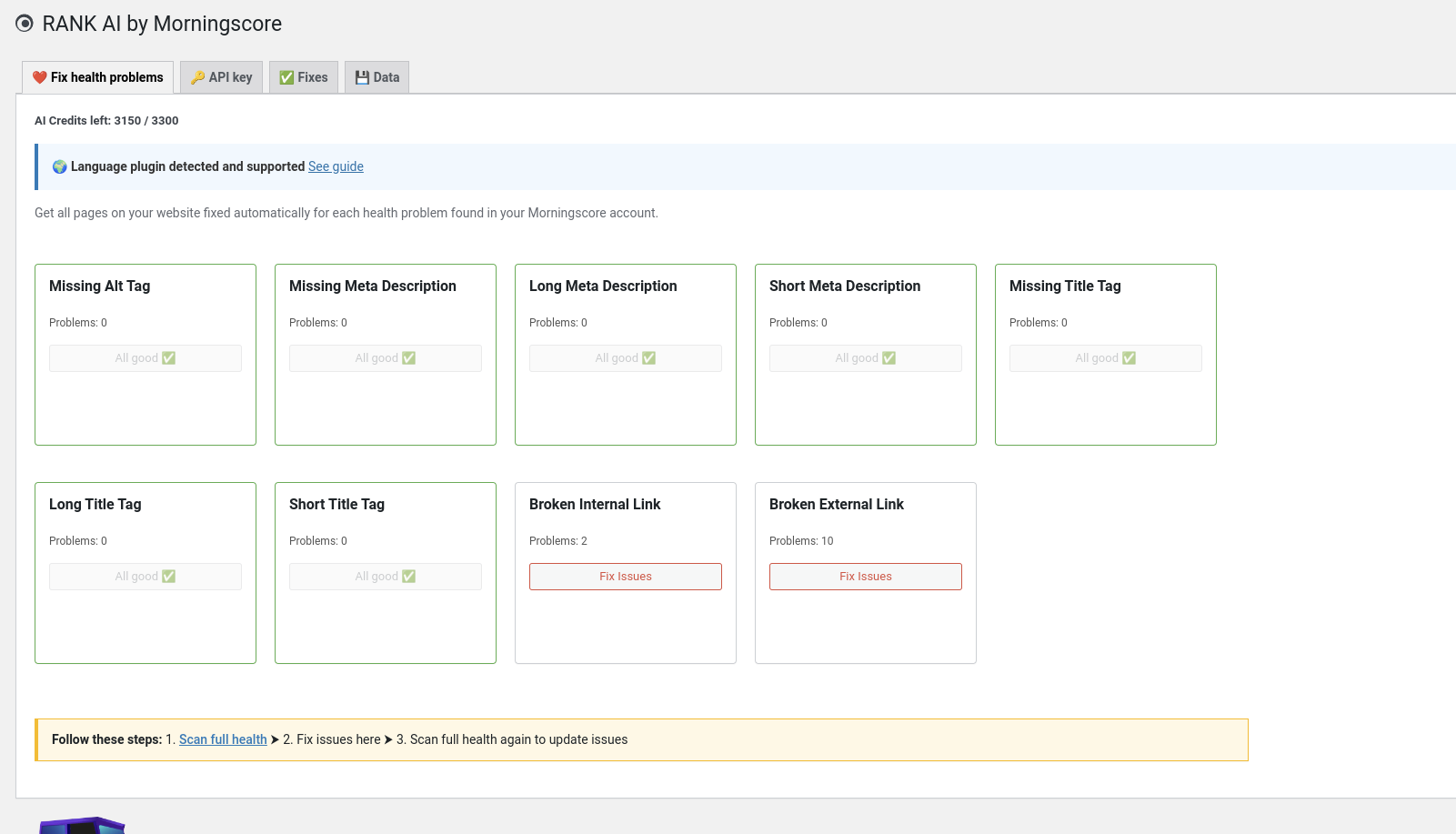
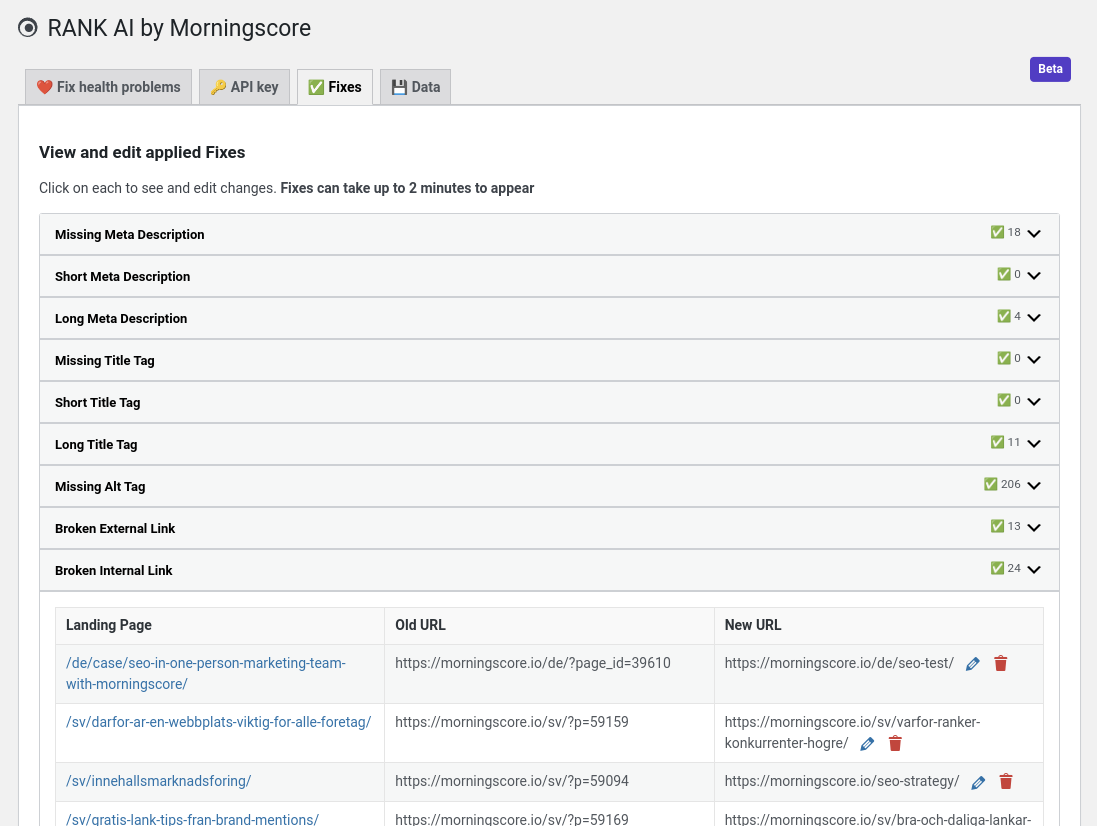
Morningscore offers a WordPress plugin called “RANK AI” that makes it easy to automatically fix broken links in WordPress – both internal and external. See the screenshot below for an example of how a fix looks in practice.
To use this feature, you’ll need a paid Morningscore subscription. The fixes will be yours forever.
How to automatically fix broken links in WordPress using Rank AI:
- Rank AI (Morningscore) plugin: This plugin automates fixing SEO issues on your WordPress website.
- Automatic Fixes: It scans your website, identifies problems, and applies fixes to improve your SEO health.
- Data Ownership: Users own the data and fixes applied by the plugin. Unlike some tools, your fixes stay even after you cancel.
- How it works: The plugin identifies and fixes various on-page SEO issues automatically – including missing image alt tags, missing meta descriptions, missing title tags, broken internal and external links, and more.
- Morningscore Integration: Rank AI integrates with Morningscore’s SEO tool, so you can manage and track all fixes in your account.
- Cost: The RANK AI plugin requires a paid subscription. The Lite plan costs $69/month and covers 50 fixes. Bigger plans offer much more. Up to 10 000 fixes per month.
Screenshots of the tool that can automatically fix broken links
You can view, edit and remove fixes very easily and fast in this view (see bottom):
Learn more about the plugin and download it here
Common questions about fixing WordPress links
Is it safe to automatically fix broken links?
Yes, but it depends on the tool you choose. While some older plugins had security flaws, modern solutions like Morningscore’s Rank AI are built to be secure and even let you keep your fixes forever even if you stop your subscription.
Will a broken link checker slow down my WordPress site?
Some heavy plugins scan your site constantly, which can drain server resources and slow down your pages. To avoid this, use a performance-friendly tool or an external scanner that handles the heavy lifting off-site to keep your loading speeds fast.
Can I automatically fix broken links in WordPress for both internal and external URLs?
Most basic plugins only find internal errors, but advanced tools can automatically fix broken links that point to external websites too. This is helpful because you cannot control when other people change their URLs or delete pages.
How do I fix broken image links after moving my site?
Images often break during migration due to incorrect file paths. You can fix these by using a search-and-replace tool to update your media library URLs or by verifying file permissions (usually 755 for folders) via your hosting panel.
What does it cost to automate these SEO fixes?
Price varies based on the number of pages you have. For example, Morningscore offers a Lite plan for $69 per month, which covers 50 automated fixes, while larger plans are available for sites that need thousands of links repaired.
How can I find broken links without using a plugin?
If you prefer not to install more software, you can use Google Search Console to find crawl errors. You will have to fix these manually by editing your posts or setting up redirects, but it keeps your WordPress installation lightweight.