
 Deutsch
 Dansk
Dansk Svenska
 Nederlands
 Español
 Lietuvos
What this guide covers
- I’ve listed 14 simple SEO tools for beginners – from free plugins to affordable all-in-one suites.
- I’ve organized them by use case: keyword research, rank tracking, technical SEO, content writing, and link analysis.
Let’s be honest: SEO can feel overwhelming. If you are just starting out, most software looks like the cockpit of a fighter jet, packed with confusing charts, technical jargon, and data you don’t know how to use.
But you don’t need a degree in data science to rank on Google. You just need simple SEO tools that cut through the noise and show you exactly what to do.
Top Simple and Easy SEO Tools
With over 300 SEO tools now on the market, finding that “perfect fit” is hard. Most are built for enterprise experts, not business owners.
That is why I tested dozens of platforms to find the software that strikes the perfect balance: powerful enough to rank you #1, but easy enough to use on your first day. For each tool, I checked how fast a first-time user gets actionable data, what it costs at entry level, and whether the feature set actually matches beginner needs rather than the needs of a full-time SEO consultant.
The following list contains the best tools I found that deliver immediate value without the “noise.” Whether you are looking for a free plugin to fix your meta tags or a complete AI automation suite, these tools will help you grow your traffic without the headache.
Categorizing SEO tools for beginners
Below, you can see the icons I use for each beginner tool, illustrating what type of SEO tool it is.
Disclaimer: All prices are shown for the cheapest plan available on a monthly basis for every tool. Some of the free ones do have paid plans too.
🏆 Rank tracker tool
🤖 Technical SEO (on-page)
🔍 Keyword research
✍️ Help to write content
🔗 Link tool
Beginner SEO Tools Explained in Detail
Ready to find your perfect match? Let’s dive into the specifics.
Below, I break down exactly how each tool helps you grow. Whether you need a focused keyword tool, a quick technical health check, or a powerful all-in-one suite to manage everything, I’ve categorized them to help you decide.
These are the best budget and user-friendly options to start your SEO journey in 2026.
Morningscore
🏆🤖🔍🔗 Price from: $69 per month (14-day free trial)
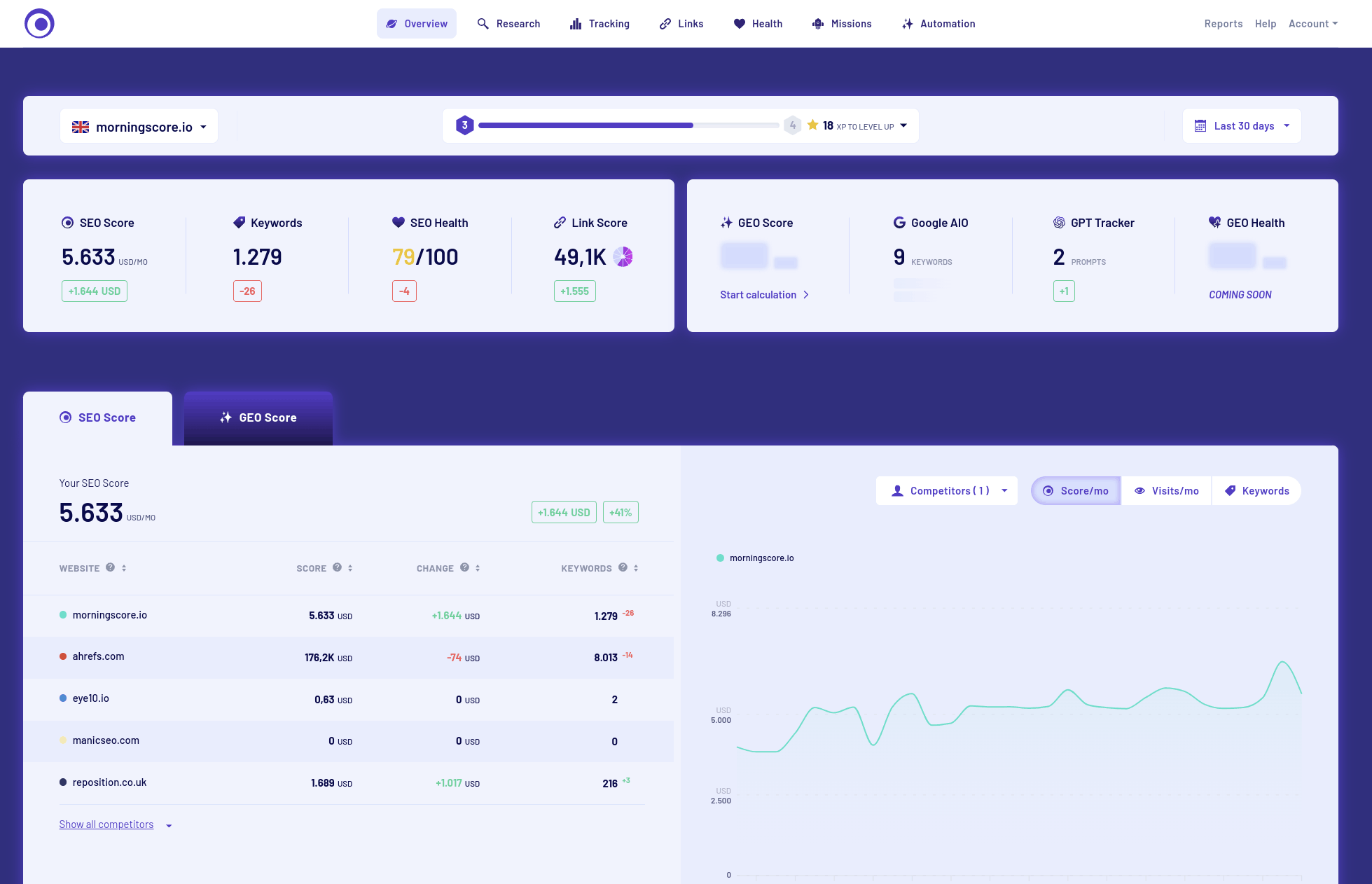
Why it’s a game-changer: Morningscore is the only tool that translates complex SEO data into a single, understandable number: your SEO potential in currency (USD/EUR). Instead of confusing graphs, you see exactly how much your organic traffic would cost if you paid for it with ads and how much more you could be earning.
We founded Morningscore in 2018 in Odense, Denmark, with one goal: make SEO accessible to people who are not SEO experts. Our CEO Karsten Madsen brings over 15 years of hands-on SEO experience to every product decision. Since day one, our mission has been simple: help small businesses get seen on Google.
Now in 2026, we use smart AI to give you the power of a dedicated SEO team on autopilot – backed by fresh funding in early 2025 to accelerate exactly these AI capabilities.
Features that make it easy:
- Gamified Workflow: All the SEO data we scanned was analyzed and turned into a list of simple “Missions.” When you fix a broken link or optimize a keyword, you earn XP and level up. It sounds simple, but it keeps your team addicted to improving your site.
- 2026 AI realities: This is your unfair advantage. Morningscore Rank AI doesn’t just show you errors; it fixes them. It can write fully optimized articles from a single keyword, suggest instant on-page fixes, and even predict which changes will give you the highest ROI.
- Easy to understand and use: No technical jargon. Your website health is shown in Red, Yellow, or Green. If it’s Red, the tool tells you exactly which button to click to fix it.
Verdict: If you want an “All-in-One” tool that feels like a video game but delivers enterprise-level data, Morningscore is the best starting point for beginners in 2026.
Google Search Console
🏆🤖🔗 Price from: Free
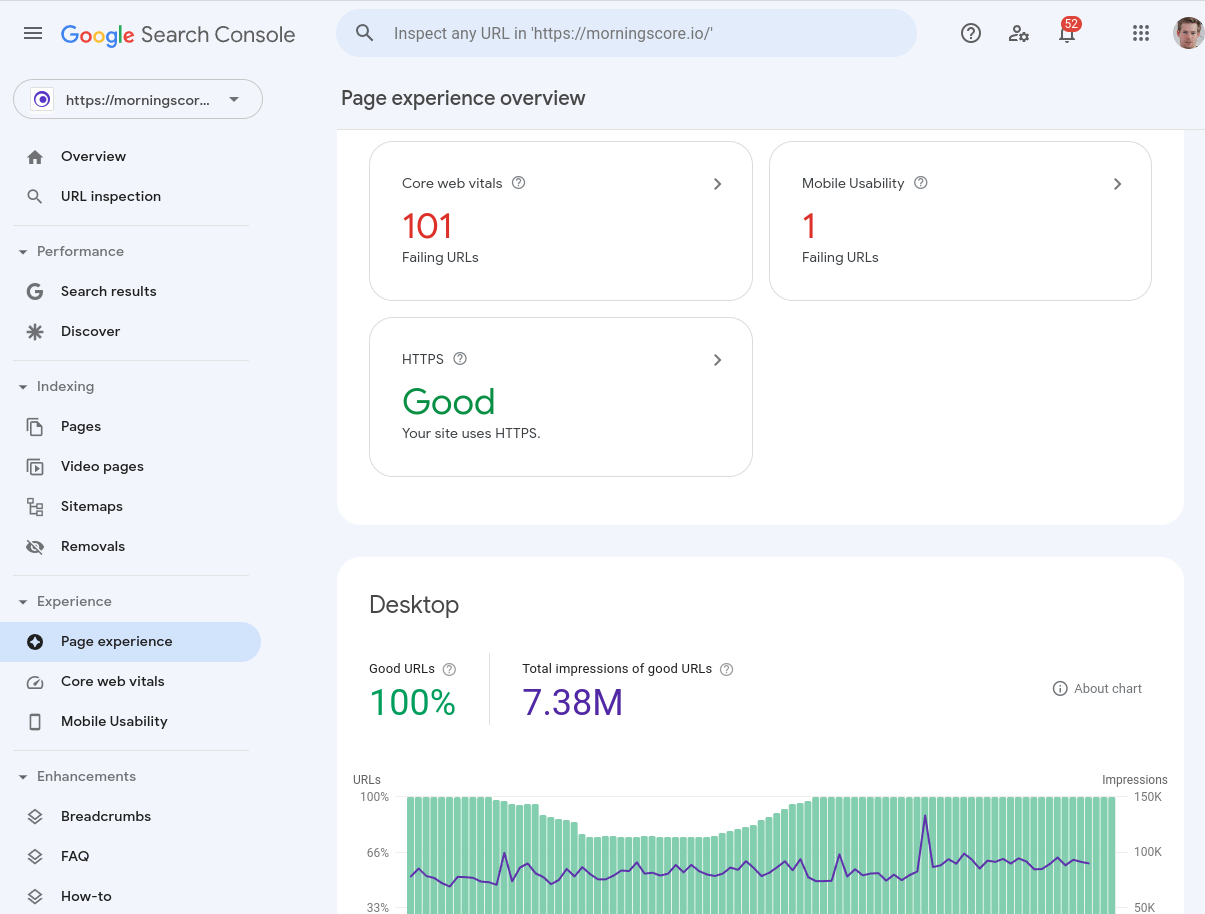
Google Search Console is Google’s own free tool, and that alone gives it an edge no other platform can match. It shows you the exact keywords your pages rank for, which pages are indexed, and what crawl errors need fixing – all pulled directly from Google’s own data. If you are just getting started, this official Search Console guide shows you how to set it up correctly. The one limit: you can only use it on sites you own or have been invited to access, so competitor analysis is off the table.
If you are working through the basics outlined in the Google Search Central SEO Starter Guide, Search Console is the tool that lets you track your progress against those exact recommendations.
Google Pagespeed Insights
🤖 Price from: Free
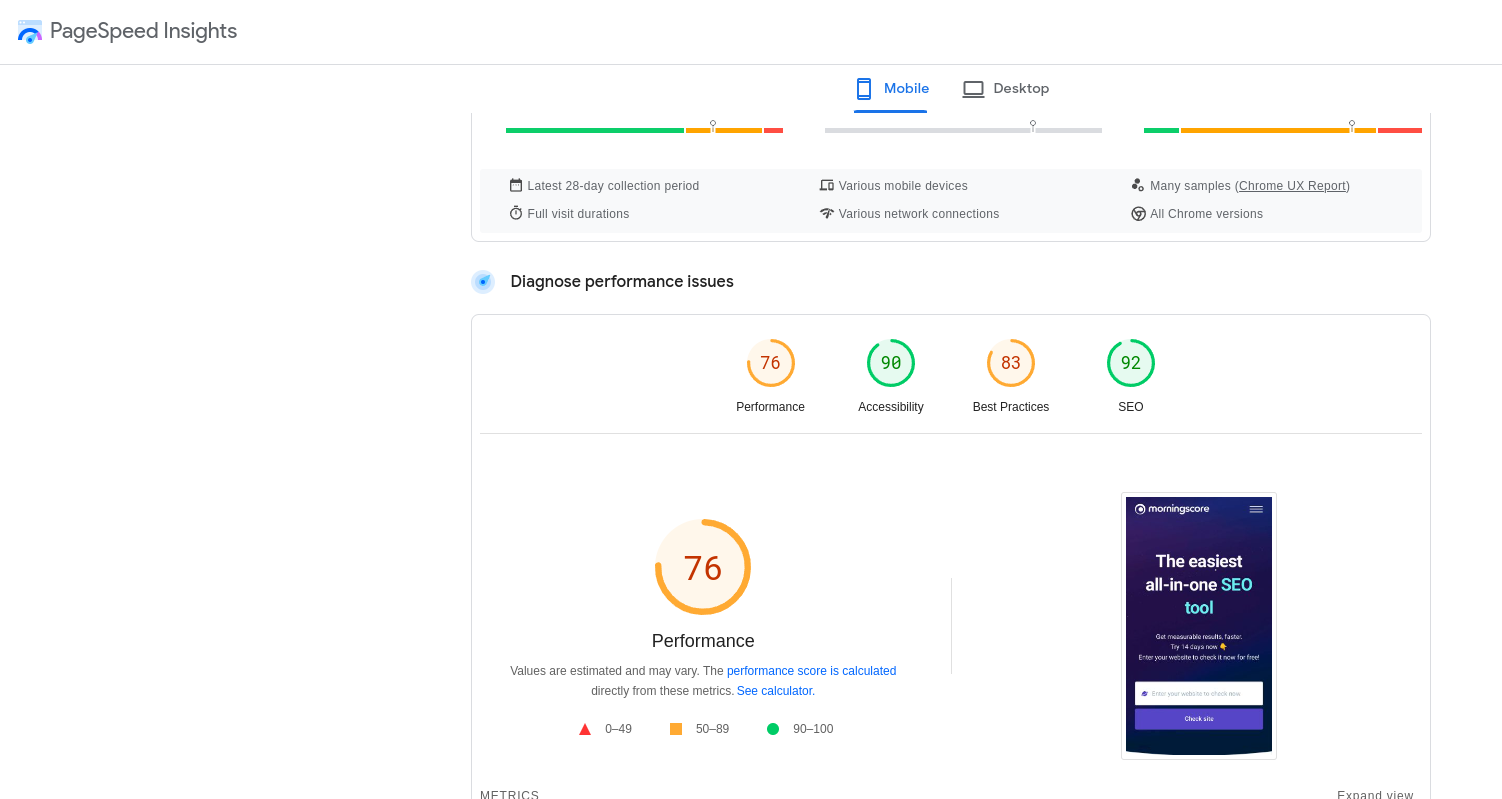
Website speed is a serious ranking factor, and Google’s requirements have only gotten stricter over the past few years. Pagespeed Insights gives you a score from 0 to 100 for both mobile and desktop, along with specific recommendations on what to fix. Both scores matter – mobile speed in particular has become a high priority for Google. For beginners who want a simple starting point on site speed, I think this is the most straightforward free option available.
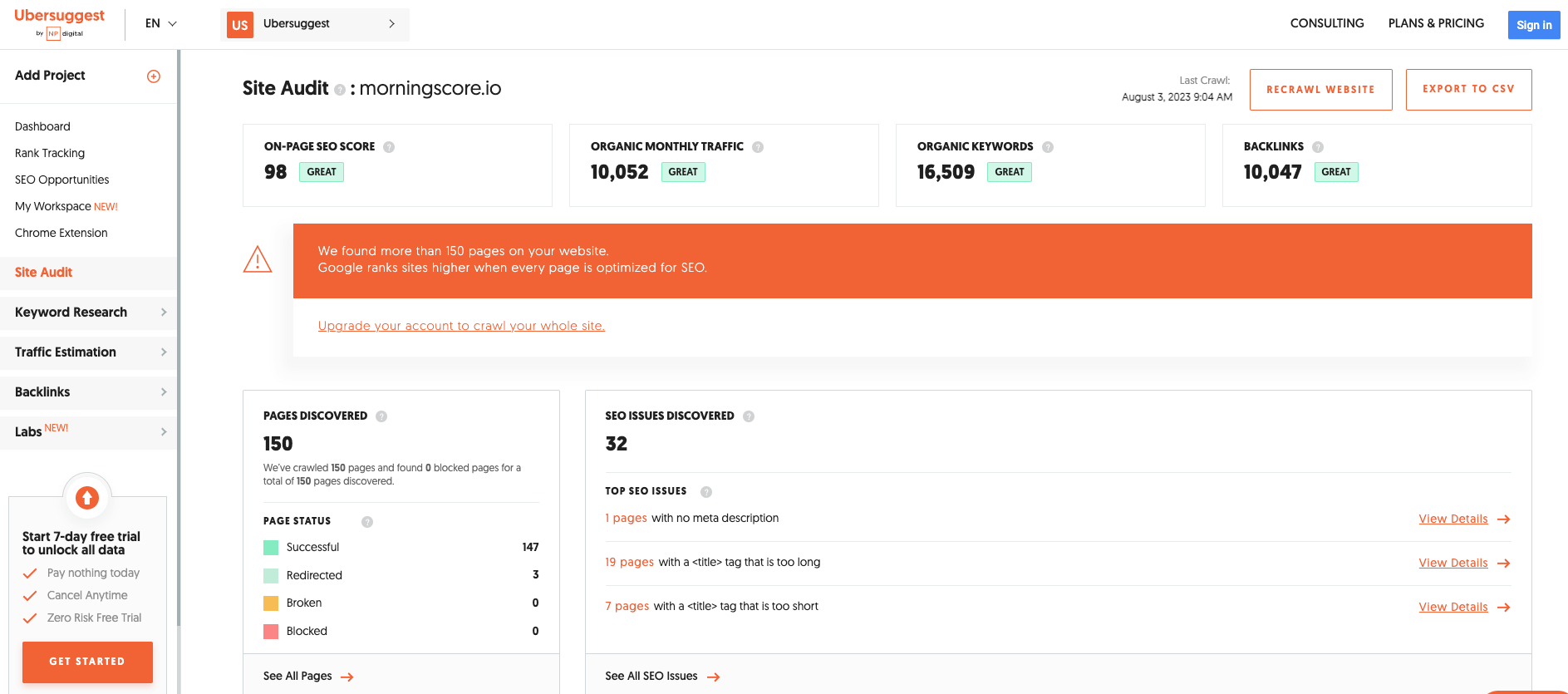
SEO Site Checkup
🤖🔗 Price from: $29.95 (7-day free trial)
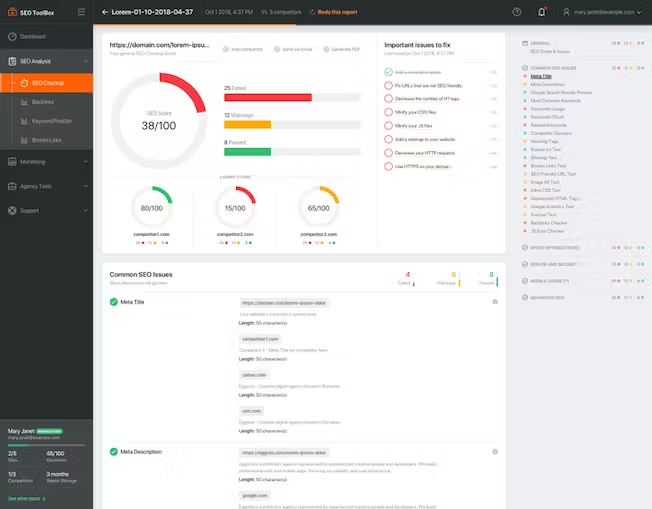
SEO Site Checkup is a potent, cheap, and very simple tool for on-page and technical SEO checks. It gives you a full list of website checks to work through, covering all the basic SEO points you should not be missing. I consider it a great SEO tool for beginners, but only for on-page checks – you do not get rank tracking, link analysis, or keyword research. What you see is what you get, and if you are solely looking for a site checkup tool, this is the one I’d recommend.
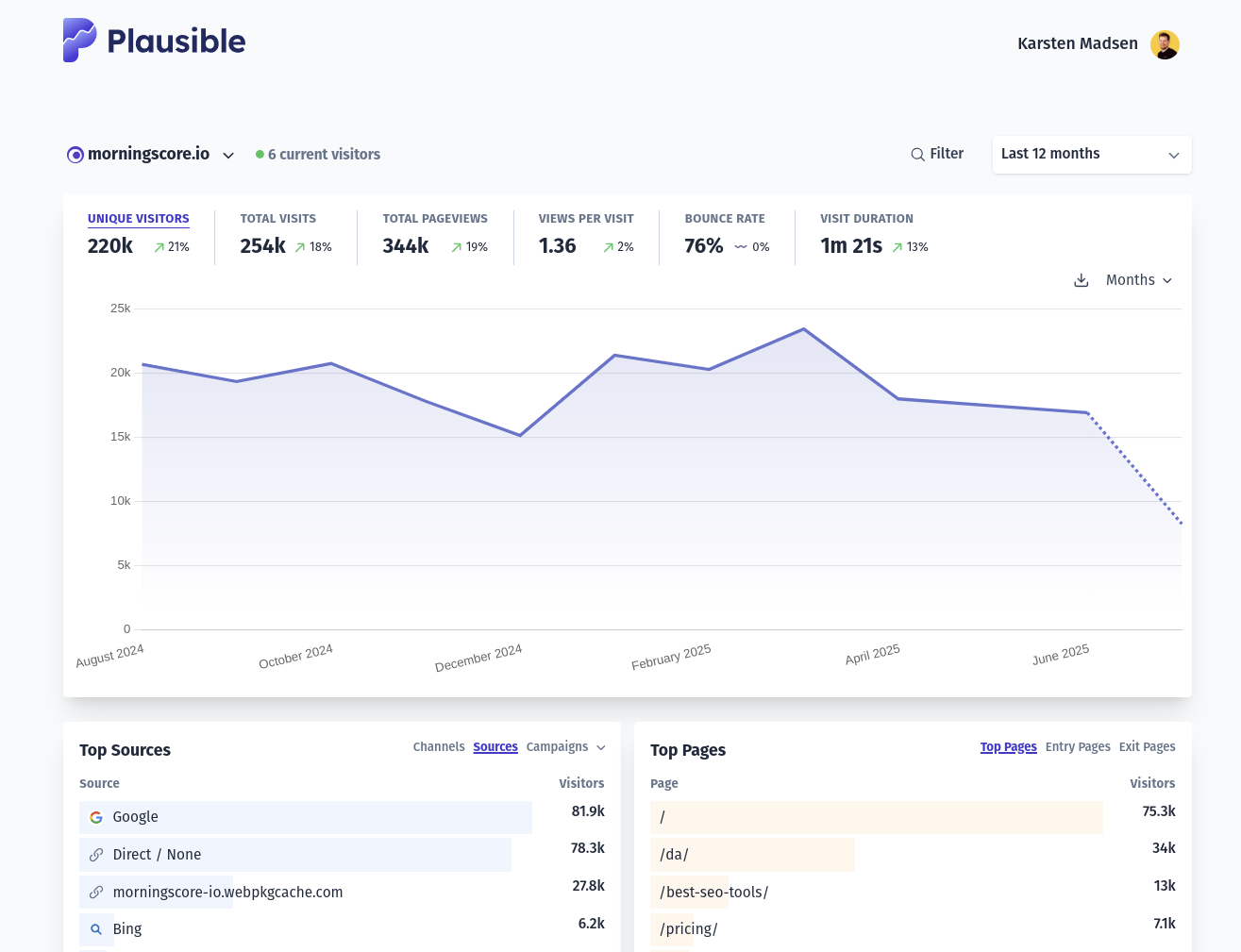
Plausible Analytics
🤖 Price from: 9 € / month
I used to recommend Google Analytics, but since the infamous GA4 launched, it has been a user experience mess. Most companies do not know how to find even simple reporting anymore, and it’s not their fault – it’s really that badly designed. That is why I now recommend an alternative like Plausible. There are also other great ones like simpleanalytics.com.
KWFinder
🏆🤖🔍✍️🔗 Price from: $29 (10-day free trial)
KWFinder by Mangools is an excellent all-in-one alternative for beginners. Its interface is widely known as one of the most user-friendly on the market, and I agree. It covers keyword research, rank tracking, and link analysis without the steep learning curve found in more complex suites. The clear design helps you find low-difficulty keywords fast, making it a great budget-friendly starting point.
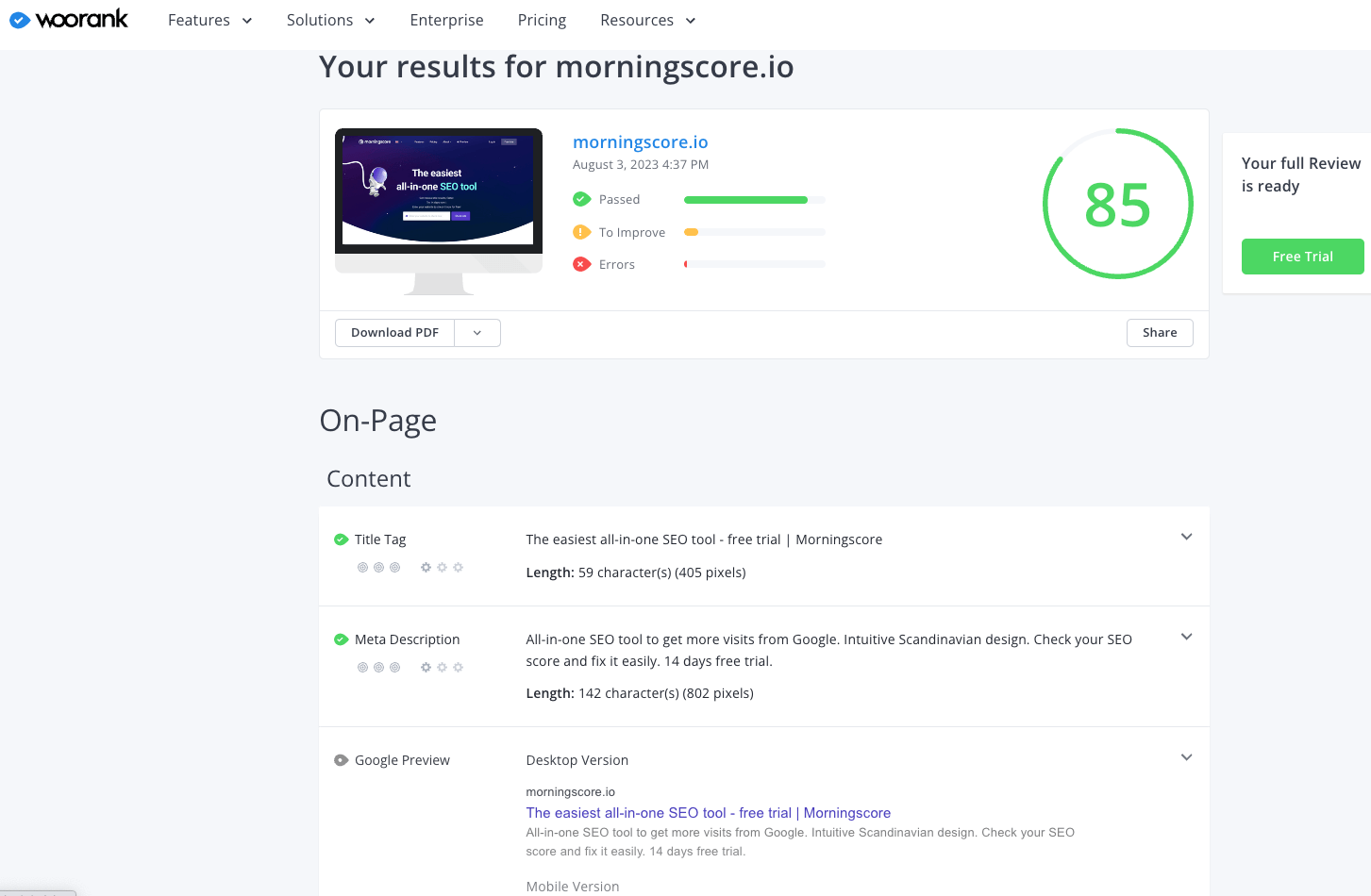
Woorank
🤖🔍 Price from: $89.99 (3-day free trial)
Woorank is a simple and easy-to-use SEO tool for beginners to start tracking keywords, spy on competitors, and run on-page checks. I like that it is intentionally streamlined, without tons of extra features you would not use anyway. The downside is that link analysis is missing, so it is not a full 360-degree SEO solution. You can generate PDF reports, but white-labeling those for client reporting is a costly extra.
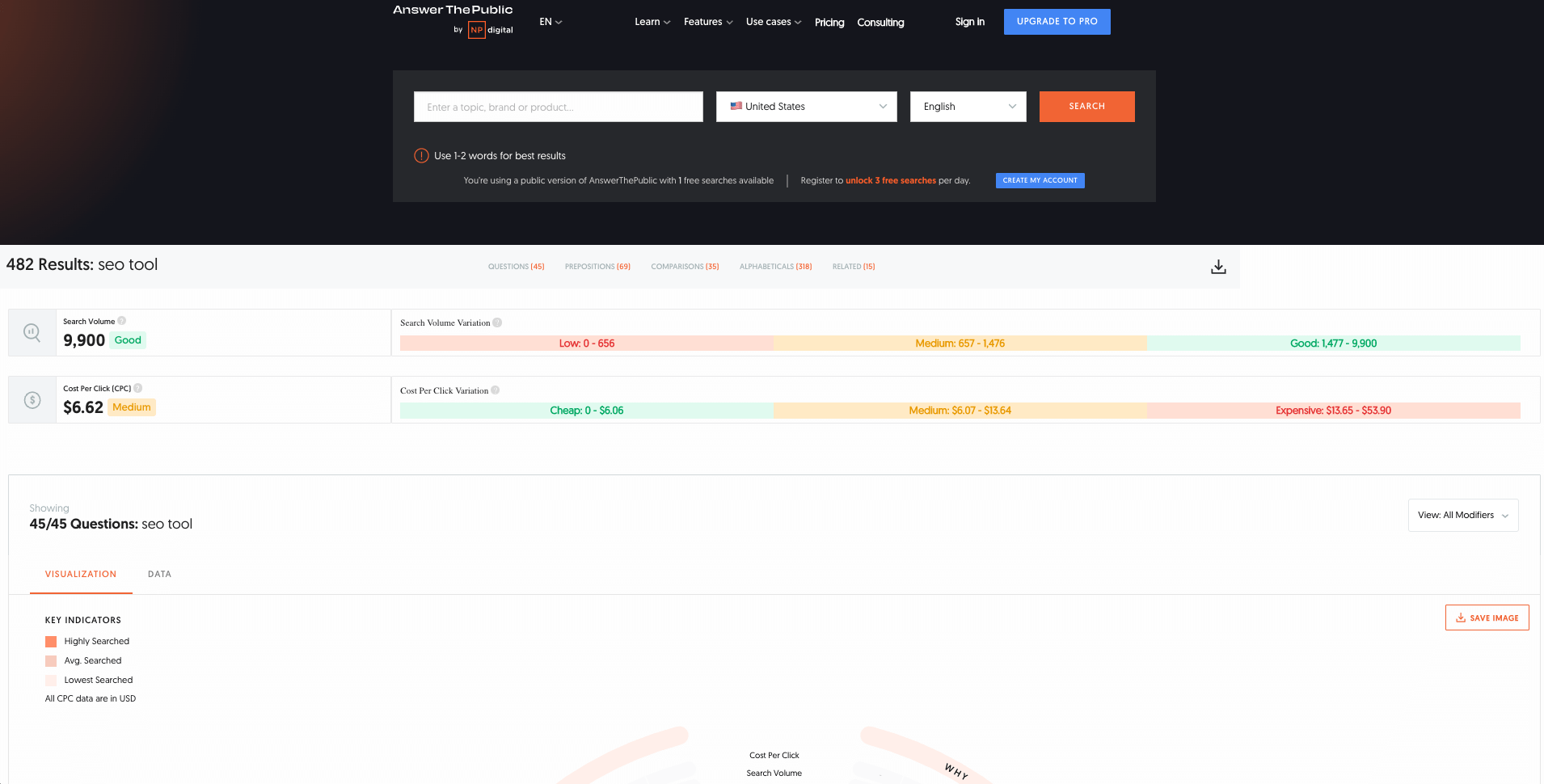
Answer Socrates
🔍 Price from: Free
Answer Socrates is a simple keyword SEO tool that helps you discover exactly what people are asking online. Just enter a topic or brand and you get a clear list of questions and comparisons that people search for on Google. I think it is a fantastic free resource for content planning, helping you find those specific queries that your potential customers want answered.
Yoast SEO
🤖✍️ Price from: Free
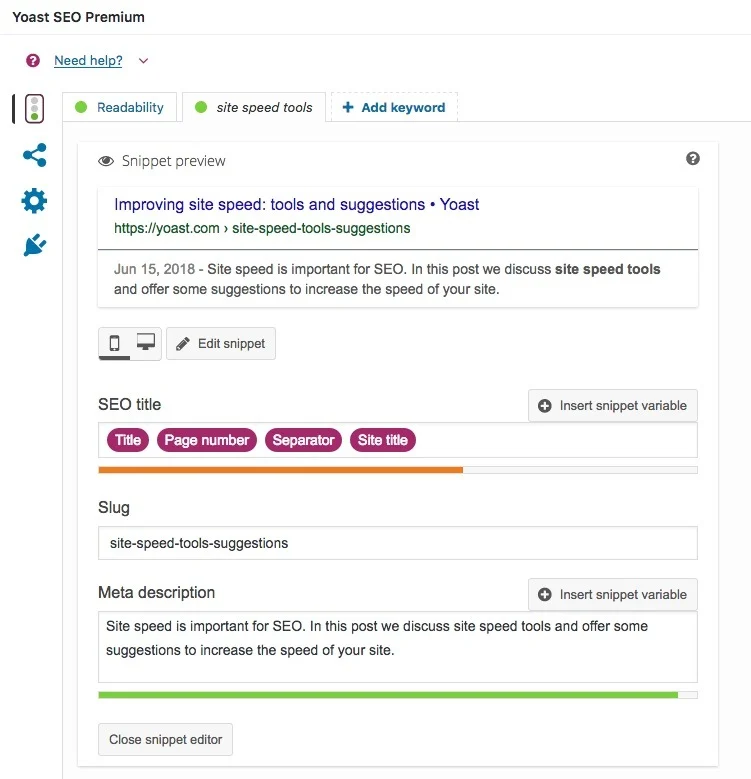
In my opinion, one of the most simple and easy SEO plugins for beginners. Yoast SEO lets you add and edit everything from titles, meta descriptions, and Schema to more technical elements such as indexing of pages – all with a couple of clicks. The official free version checks how well your content is optimized for your chosen keyword, giving you simple color-coded feedback. It is more than enough for most beginners to get started.
Rank Math
🤖✍️ Price from: Free
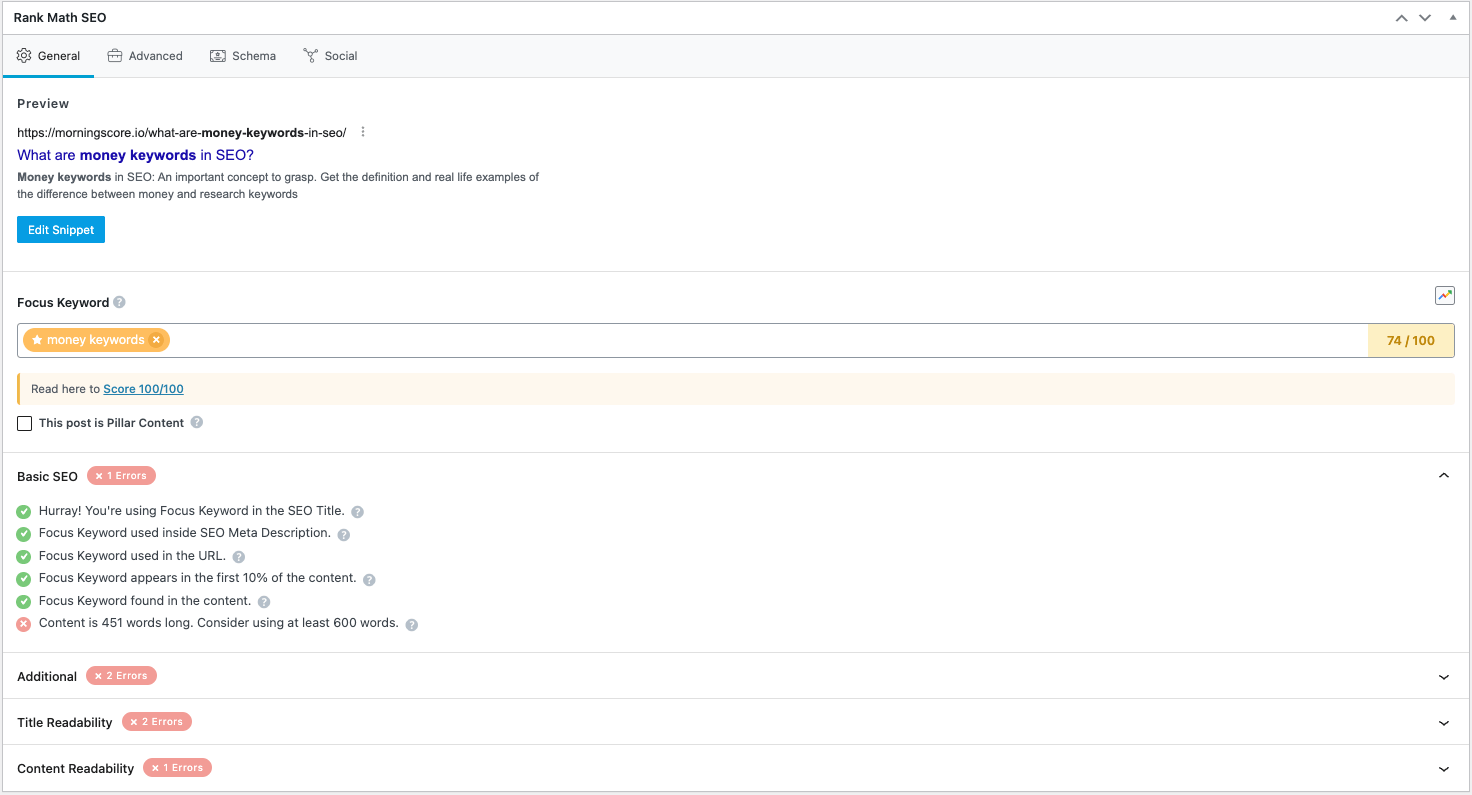
Rank Math is essentially a direct competitor to Yoast and works in much the same way. It is just as simple for beginners and gives you the same options for titles, meta descriptions, indexing controls, and structured data. Setup takes just a few clicks – no coding skills required. I’ve noticed many WordPress users now prefer Rank Math for its slightly richer free feature set. 2026 update: In my recent test the free version felt a bit more limited compared to Yoasts free option. I still recommend and actually use the the paid version myself, but the free version is on my radar now to decide if I include it next year or not.
Google Keyword Planner
🔍 Price from: Free
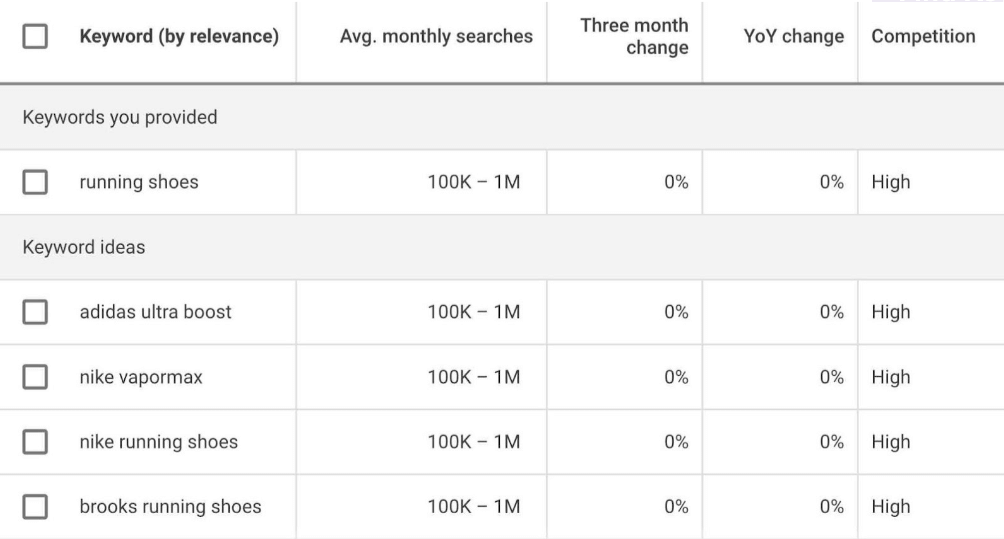
If you are looking for a free keyword tool for beginners, the official Google Keyword Planner is a solid choice. You can discover new keywords, check estimated search volumes, and see the CPC for paid Google Ads – all for free. The main limitation is that volumes come in broad intervals rather than exact numbers, so you might see “1,000 – 10,000 monthly searches” instead of a precise figure. It is a PPC tool at heart, but I find it works well as a free starting point for keyword research on a tight budget.
AlsoAsked
🔍 Price from: $12 (3 searches free daily)
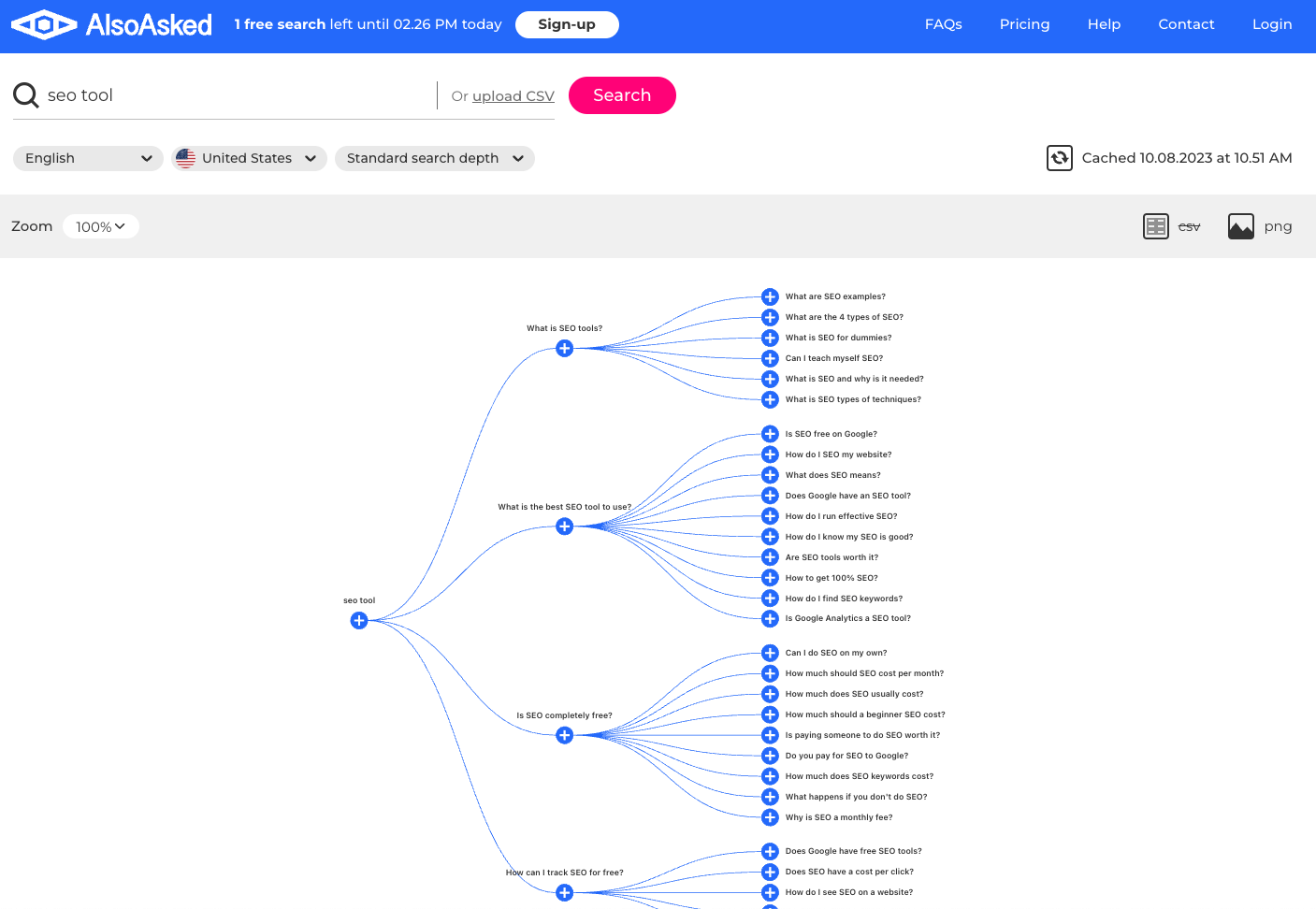
AlsoAsked is a simple keyword tool focused specifically on the questions people ask around any given topic. It shows you an organized visual map of related questions, which you can use to create new landing pages or to add more depth to your existing content. Both approaches make your content more relevant for users and search engines alike. At $12 a month, I think it is an affordable addition to any beginner’s keyword toolkit.
TinyPNG
🤖 Price from: Free
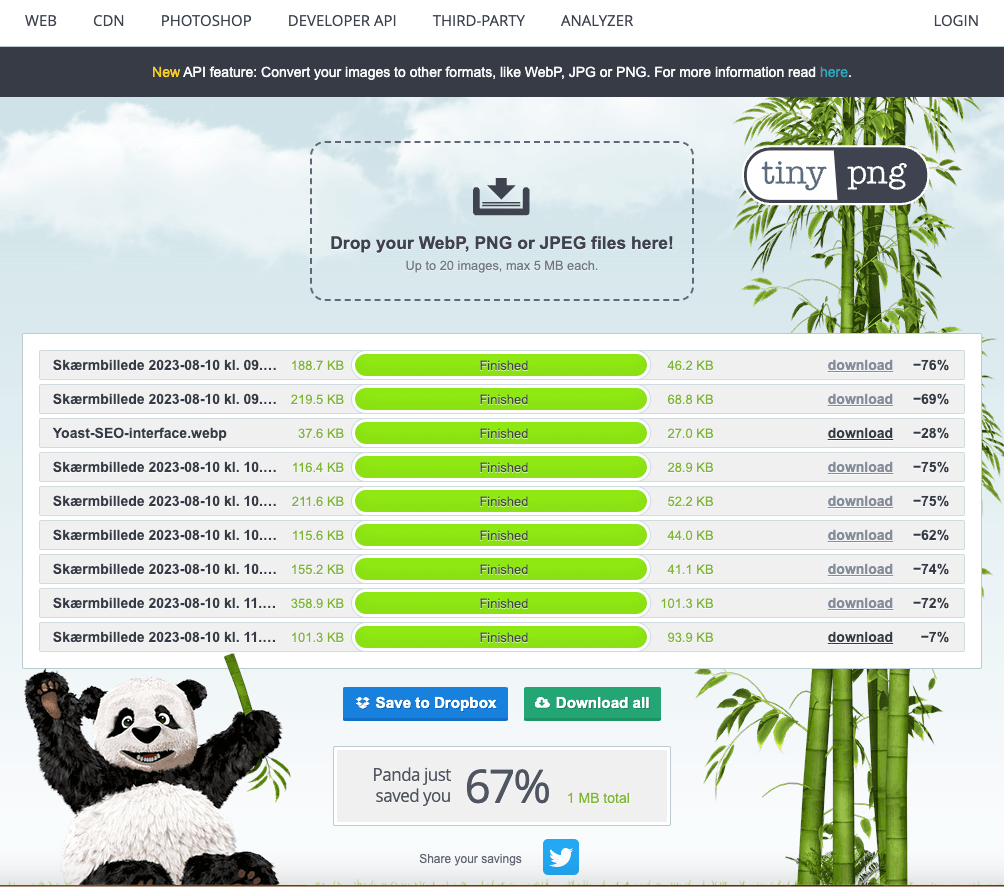
A fast-loading website is crucial for rankings, so I could not make this list without including something simple for image compression. TinyPNG lets you drag and drop images, compresses them automatically, and gives you a smaller file to re-upload to your site. It can cut file sizes dramatically and shave seconds off your load time – which matters for both user experience and search rankings. It is free and takes about 30 seconds to use.
Diib
🔍Price from: Free
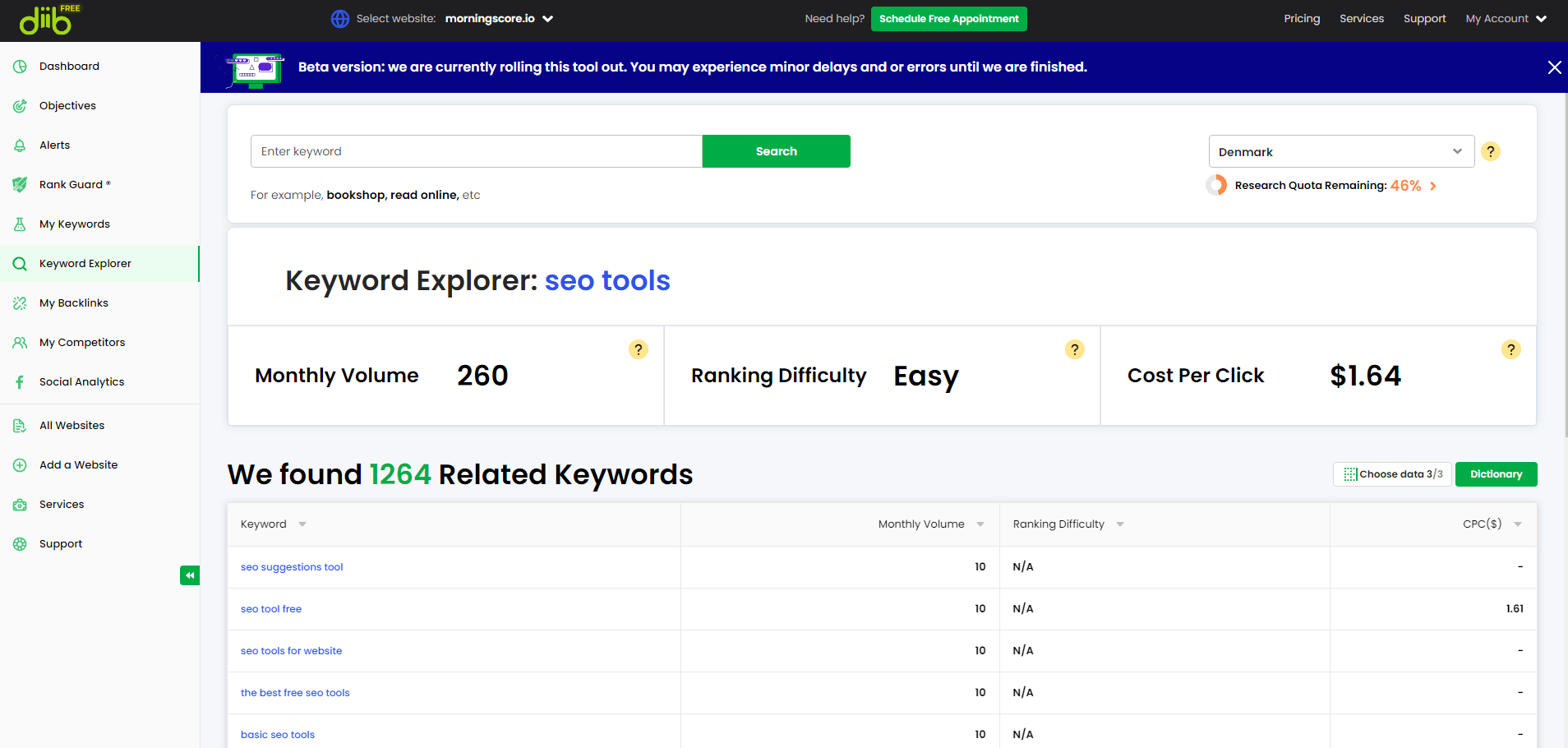
If you want a free tool that gives you keyword suggestions, Diib is a decent starting point. Most features are limited on the free plan – you only see 10 backlinks and 10 keywords, which is not a lot. But the keyword research feature is solid, showing search volume, difficulty, and CPC alongside a good list of related keywords. While Diib is not enough to cover all your SEO needs on the free version, I find it works well for finding new keyword ideas.
Explaining the tool categories
🔗 SEO tools for links
Tools with this attribute check the number and quality of links pointing to your website with a backlink checker tool. If you want to know more about backlinks and why they are important for your rankings, you can read this beginner’s guide: How do backlinks work?
✍️ SEO tools to help you with content
Tools with this attribute help you create content – it can either be a simple writing assistant but can also be powered by AI. Be careful, though. Use your common sense and proofread everything you don’t write yourself.
🔍 SEO tools for keyword research
Tools with this attribute are keyword research tools that help you find the best keywords and typically tell you how many searches per month a keyword has, and more.
🏆 SEO tools for keyword rank tracking
Tools with this attribute are rank trackers and can track the rank of the keywords on which your website ranks in search engines. Tracking your website and keyword rankings is an essential part of the SEO process. This work helps you make good decisions about your content.
🤖 Technical SEO tools
Technical SEO is, in short, about everything other than your written content. The term refers to the work of optimizing your website so that search engines can access, crawl, and index it.
In essence, technical SEO covers everything you can do to help Google understand the content and structure of your website.
Morningscore vs. other simple SEO tools
Morningscore, our own simple SEO tool, is on this list of tools for beginners. Yes, it’s possibly biased, but I am not kidding when I say that Morningscore is an easy SEO tool for beginners. It is built to be as simple and easy to use as possible, guiding you step by step with gamified missions.
The results from using the right simple tools are real. A small business case study showed that focusing on content optimization and backlink basics with simple tools led to 5X ROI. You do not need an expensive enterprise suite to get there – you just need the right tool for where you are right now.
This list of SEO tools for beginners contains a lot of easy-to-use tools which are great for beginners. If you are looking for tools for intermediates and experts, take a look at my list of the best SEO tools.
So, to be completely honest – all of the tools in this list are easy to use for beginners with limited knowledge, and they will help you build that knowledge along the way. Most are simple enough that they cover a narrow set of features, so you may need more than one tool in your toolbox. Some are plugins for on-page basics, some are solely for rank tracking or keyword research, and tools like Morningscore cover everything in one place.
Do you want to give Morningscore a shot? Sign up for a free 14-day trial right here – no strings attached and no credit card information needed.
Common Questions About SEO for Beginners
Do I really need to pay for a beginner SEO tool?
Not right away. But a paid simple SEO tool like Morningscore can save you hours of work by combining everything into one dashboard and giving you clear “missions” to follow.
How do I find keywords for my website?
You can use official resources like the Google Keyword Planner or check “People Also Ask” sections on search results. Tools like Answer Socrates are also great for finding the specific questions your audience is searching for so you can create content that actually gets read.
Which is the best beginner SEO plugin for WordPress?
Yoast SEO in my opinion. Rank Math is also great but only the paid plan in my experience. Both plugins act as a setup assistant, using a simple red-to-green traffic light system to show if your page is ready to rank or needs more work before you hit publish.
How often should I check my SEO progress?
I recommend a light check every few weeks and a deeper SEO audit every few months. SEO is not a one-time task; it requires ongoing adjustments as Google updates its algorithm and your competitors add new content to their own sites.
Are all backlinks good for my rankings?
No, because quality and relevance matter much more than the total number of links. High-quality backlinks from trusted sites will boost your authority, while spammy or low-quality links can actually lead to penalties from search engines and hurt your progress. But this is actually rare. Google is good at filtering out spam. Just try to attract good backlinks, and everything will be fine.